
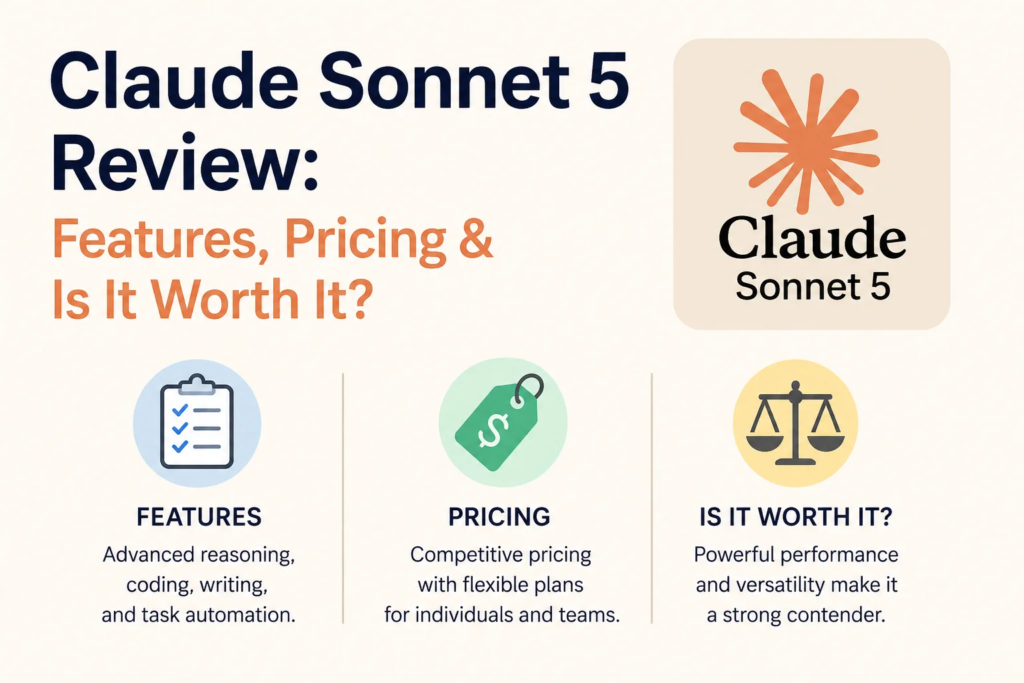
Claude Sonnet 5 Review: Features, Pricing & Is It Worth It?
I almost didn’t switch models this time.
I’ve been using Claude for close to two years now for client work, for debugging code at midnight, for drafting emails I’m too tired to write myself. Every time a new version drops, I tell myself “I’ll try it later” and then keep using whatever’s already open in my browser tab because switching feels like a hassle.
But a friend who runs a small dev shop kept texting me about Claude Sonnet 5, saying it was finishing tasks his old setup used to choke on. So last week I actually sat down, pointed a few real projects at it, and paid attention to what changed. This isn’t a spec-sheet summary. It’s what happened when I used it.
So What Actually Is Claude Sonnet 5?
Claude Sonnet 5 is Anthropic’s mid-tier model, sitting between the lightweight Haiku models and the flagship Opus line. It launched at the end of June 2026, and Anthropic’s pitch for it is simple: get most of the reasoning and agentic power of their top-end Opus model, at Sonnet-level pricing.
“Agentic” is the buzzword here, and I get why people roll their eyes at it. But in practice it means something specific the model can plan out a multi-step task, use tools like a browser or a terminal, check its own work, and keep going without me babysitting every single step. That’s the part that actually changed my workflow.
What It’s Like to Actually Use It
I threw three different kinds of work at Sonnet 5 over about a week: a coding refactor, some research pulled together for a client report, and basic day-to-day writing help.
The coding task is where I noticed it first. I asked it to refactor a messy Node.js API and add proper error handling across a dozen files. With previous Sonnet versions, I’d usually get a good first pass, then spend twenty minutes going back and forth fixing edge cases it missed. This time, it actually ran the tests itself, saw two of them fail, and fixed the failures before handing the result back to me. I didn’t ask it to do that it just did.
The research task was messier and more honest, if I’m being fair. I asked it to pull together competitor pricing for a client deck. It got most of it right, but it also cited one number that was already out of date by a couple of weeks. That’s on me too — I should have double-checked instead of assuming a live-looking browsing task was infallible. Lesson learned: treat anything with real dollar figures as a draft, not a final answer, and verify before it goes in front of a client.
The everyday writing help was honestly the least dramatic upgrade, but also the most reliable. Emails, outlines, cleaning up my own rambling notes it did the job the way you’d expect a competent assistant to.
Features Worth Knowing About
Here’s what stood out to me, without the marketing language:
- It sticks with hard tasks longer. Older versions would sometimes give up halfway through a complex request and hand me something half-finished. Sonnet 5 seems to push through more of the task before checking back in.
- Better tool use. If it hits an error using a tool say a failed search or a broken script it tries again or works around it instead of just stopping.
- 1 million token context window. In plain terms, that means you can hand it a genuinely large codebase or document and it won’t “forget” the beginning by the time it reaches the end.
- Effort levels. You can dial how hard the model works on a task, from quick and cheap to slow and thorough. I found “low effort” fine for simple edits and reserved the higher settings for anything gnarly.
- Computer use. It can navigate a browser interface directly clicking, filling forms, comparing tabs. I tested this on a simple product-comparison task and it worked, though I wouldn’t hand it my banking login just yet.
Pricing: What It Actually Costs
This is the part people skim past and then get surprised by later, so let’s slow down.
If you’re using Claude through the chat app (claude.ai, iOS, Android), Sonnet 5 is the default model on:
- Free plan $0/month, limited daily usage, Sonnet 5 included
- Pro plan around $20/month, roughly 5x the usage limits of Free
- Max plans around $100 or $200/month, for people running heavy daily workloads or using Claude Code constantly
- Team and Enterprise seat-based pricing for businesses
If you’re building something through the API instead of chatting in the app, the pricing is per token, and this is where it gets interesting. Anthropic launched Sonnet 5 at an introductory rate of $2 per million input tokens and $10 per million output tokens, but that’s only good through August 31, 2026. After that, it steps up to the standard rate of $3 per million input and $15 per million output which, worth noting, is the exact same sticker price Sonnet 4.6 charged.
Here’s the catch I didn’t see coming until I dug into it: Sonnet 5 uses a new tokenizer. That means the same piece of text can get chopped into more tokens than it used to up to about 35% more, depending on what you’re feeding it (code and non-English text tend to get hit hardest). So even though the “price per token” looks flat after September, your actual bill for the same workload could creep up. If you’re running this through an API for a business, it’s worth checking your token usage before and after the September pricing change rather than assuming nothing shifted.
For casual chat use through the app, none of this token math matters much you’re just working within your plan’s usage limits.
Step-by-Step: How I’d Recommend Trying It
If you want to actually test whether Sonnet 5 is worth it for you, here’s how I’d approach it instead of just diving in blind:
- Start on the Free plan first. Don’t pay anything yet. Just use it for a few real tasks you’d normally do anyway not a made-up test question, an actual thing from your week.
- Give it a task with several steps, not a single question. That’s where Sonnet 5 shows the biggest difference from older models. Something like “clean up this spreadsheet, then summarize the three biggest trends” works better as a test than “what’s 2+2.”
- Check its work. Don’t take the first output as gospel, especially anything involving numbers, dates, or citations. Treat it like a very fast, very capable junior collaborator good instincts, still needs a second pair of eyes.
- If Free feels limiting, upgrade to Pro for a month and see if the extra usage actually gets used, before jumping straight to Max.
- If you’re a developer, test through the API with a small budget before committing to a production workflow and set a calendar reminder for late August so the pricing step-up doesn’t blindside your billing.
Common Mistakes to Avoid
A few things I saw myself and others get wrong:
- Assuming “agentic” means “unsupervised.” It’s better at working independently, not perfect. Review anything client-facing or financial before it goes out the door.
- Ignoring the tokenizer change if you’re on the API. Budgeting off the intro price and forgetting the September jump is an easy way to get an unpleasant invoice.
- Jumping straight to the most expensive plan. Most people I know overestimate how much usage they actually need. Try Pro before Max.
- Not adjusting the effort level. Running every task at maximum effort costs more time and, on the API, more money. Save the higher settings for genuinely hard problems.
Is It Worth It?
For my own work, yes the coding and research improvements were noticeable enough that I’ve kept it as my default. It’s not a dramatic reinvention, more like the assistant finally stopped needing as much hand-holding on the tasks that used to require it.
Whether it’s worth it for you really depends on what you’re doing with it. If you mostly ask quick questions or want writing help, the free tier will probably cover you fine, and you might not notice a huge jump from older models. If you’re doing serious coding, research, or multi-step agent work, the difference is real enough to justify at least trying the Pro plan for a month.
Either way, don’t take my word for it as final. Run your own real tasks through it before deciding that’s the only test that actually tells you anything.

Hamad Arshad
SEO Specialist | SEO Manager | GEO Strategist
7+ Years of Experience in SEO, GEO, AEO, AI SEO, Local SEO, Technical SEO, PPC, Google Ads & Meta Ads.




Leave a Reply