
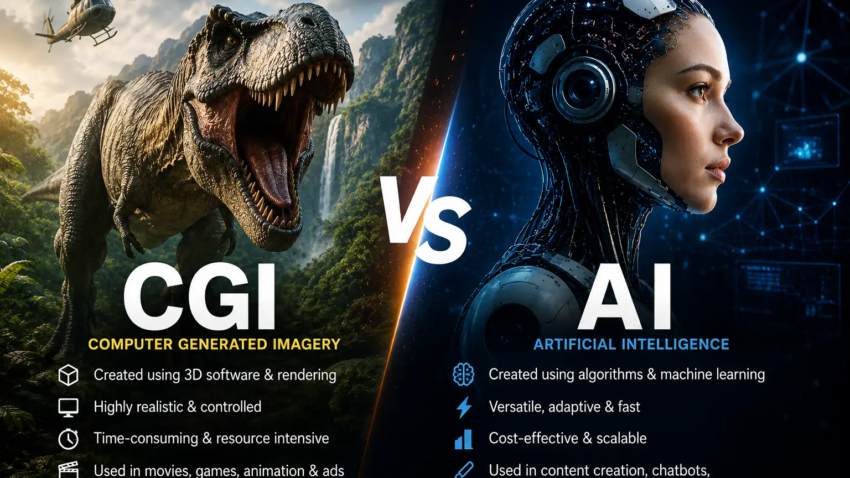
CGI vs AI, The Real Difference (And Why Most People Are Confused About Both
A few years back, I was sitting in a cinema watching a massive space battle unfold on screen — ships exploding, debris flying, light refracting through imaginary gas clouds — and the person next to me leaned over and whispered, “That AI is insane, right?”
They weren’t wrong about it looking insane. But that wasn’t AI. Not even close.
That was hundreds of artists, rendering farms running for weeks, and software like Houdini and Maya doing something that AI tools of 2026 still can’t fully replicate. But here’s the thing — I get the confusion. Because now, AI-generated images and video are genuinely everywhere, and the line between “made by humans using 3D tools” and “generated by a model” has blurred in a way that even professionals argue about.
So let me break this down properly. Not in a Wikipedia way, but in a “I’ve actually used both” way.
What CGI Actually Is (And Isn’t)
CGI stands for Computer-Generated Imagery. And the name is almost too broad to be useful — technically, anything your computer renders could fall under it. But when most people say CGI, they mean 3D visuals created through deliberate, manual artistic work using software.
Think Blender, Maya, Cinema 4D, Houdini, ZBrush. An artist (or a team of them) models every object, sets up lighting, rigs characters, animates them frame by frame, and then renders it all out. The computer does the math, but a human made every creative decision.
I spent about six months learning Blender a couple years ago. I made a donut (the classic tutorial), then a chair, then attempted a forest scene that looked… not great. But I came away with a deep respect for what professional CGI artists do. A single photorealistic render of a product — say, a bottle of shampoo — can take a day of setup and hours of render time on a beefy machine, just for one image.
“A human made every creative decision. The computer just does the math.”
The control is absolute. You can move a light by exactly 3 centimeters. You can change the roughness of a surface material from 0.6 to 0.62. You can run physics simulations so cloth drapes realistically or water splashes with accurate dynamics. It’s painstaking, expensive, and slow — and the results can be jaw-dropping.
What AI Image/Video Generation Actually Is
AI-generated imagery is a completely different beast. Tools like Midjourney, DALL-E, Stable Diffusion, Runway, Sora, and others are trained on massive datasets of existing images. They learn statistical patterns — what goes with what, how a forest usually looks, what “cinematic lighting” typically involves — and then generate new images by sampling from those learned patterns.
There’s no 3D scene. There’s no light rig you can adjust. There’s no geometry. It’s a sophisticated prediction of what an image matching your description should look like, pixel by pixel.
I’ve been using Midjourney pretty heavily since version 5, and now with the more recent versions it produces results that genuinely stopped me cold the first time. I typed a prompt describing a foggy harbor at dawn with old fishing boats and a specific mood — and what came back looked like a photo from a film still. My first reaction was “that can’t be real.” My second reaction was realizing I needed to rethink what “real” means here.
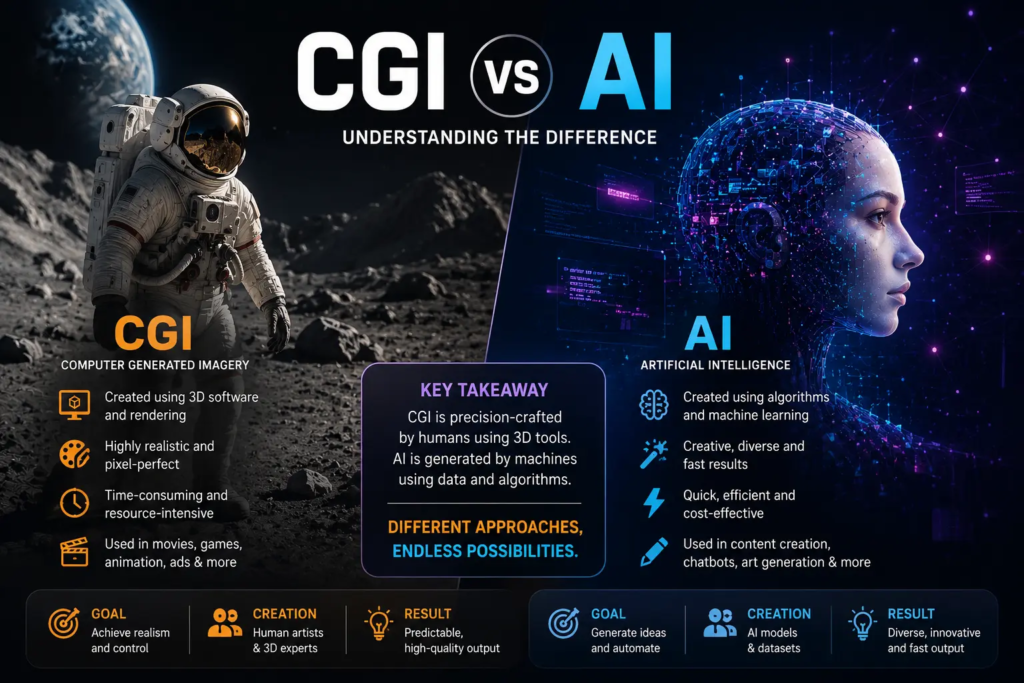
KEY DISTINCTION
CGI gives you full control over a 3D scene built piece by piece. AI generation gives you a fast, probabilistic output based on learned patterns — with far less direct control over specifics.
Where the Two Actually Overlap (This Surprised Me)
Here’s where it gets interesting — and where the confusion is most justified. These two worlds are merging fast.
Major VFX studios are now using AI tools inside their CGI pipelines. Adobe Firefly is integrated into After Effects. Runway’s AI tools are being used by actual film editors. Some teams use AI to generate reference images or texture maps, then rebuild those in 3D. Others are using AI upscaling to clean up CGI renders.
Meanwhile, AI image generators are getting better at consistent geometry and lighting logic, things that used to be exclusively the domain of 3D renders. Tools like Stable Diffusion with ControlNet can take a 3D pose and generate a photorealistic character over it.
I tried this workflow myself — blocking out a simple 3D scene in Blender, exporting a depth map, and feeding it into a Stable Diffusion pipeline. The result was actually better than either would have been alone. The spatial coherence came from CGI, the texture and light quality came from AI. It took a few hours of fiddling to get working, and I definitely hit a wall with consistency across frames, but the potential was obvious.
The Practical Differences You Actually Care About
| CGI — Traditional 3D | AI Generation |
| Precise control over everything | Extremely fast to produce |
| Consistent across frames/shots | Low barrier to entry |
| High learning curve and cost | Limited direct control |
| Slow to produce, especially rendering | Struggles with consistency at scale |
| Easy to iterate with same scene | Hands / text / fine details still fail sometimes |
| Full IP ownership, no training data concerns | Ongoing debates around training data rights |
If you’re a solo creator making concept art, marketing visuals, or social media content — AI tools are a genuine game-changer. The speed is unreal. What used to take a full day of 3D work can now be a 10-minute prompting session.
If you’re building a game, producing a film, or need visuals that are consistent across 200 frames of animation — CGI is still the backbone. AI can assist, but it can’t replace the coherence that comes from a properly constructed scene.
Mistakes I See People Make All the Time
Assuming AI-generated means low quality
This one aged badly even in the past year. Some AI-generated images are indistinguishable from photography or high-end CGI. Dismissing them as “just AI” misses what’s actually happening.
Assuming CGI means photorealistic
CGI covers everything from Pixar’s stylized animation to hyper-realistic product renders. The style depends entirely on the intent of the artist, not the technology itself.
Using AI generation for precise briefs without iteration
Early on, I tried using Midjourney for a client’s product visual. I needed a specific shape, specific branding colors, and specific composition. After two hours and probably 60 generations, I had something close — but not right. A 3D mockup in Blender would have been done in 45 minutes. Know when to switch tools.
Thinking CGI is always expensive
Blender is free. Seriously, full stop. The software is free, open source, and powerful enough for professional work. The cost is time and hardware for rendering — but even that’s changed with cloud rendering services. The barrier to learning real 3D has never been lower.
So Which Should You Actually Learn or Use?
Honestly? Both, if you can. They’re complementary, and knowing the difference between them makes you sharper with each.
If your goal is speed and volume — generating lots of concept visuals, thumbnails, social posts, mood boards — lean into AI tools. Midjourney, Adobe Firefly, or Stable Diffusion with a solid setup will massively accelerate your output.
If your goal is precision, animation, product visualization, or anything where consistency matters across multiple shots — learn even the basics of CGI. Even a month with Blender will change how you think about light, geometry, and space. And it’ll make your AI prompts smarter too, because you’ll know what you’re actually asking for.
“The people doing the most interesting work right now are the ones who understand both — and know which tool to reach for, and when to combine them.”
The cinema moment I started with? That space battle was pure CGI, built by human artists over months. But the movie trailer that got me excited to see it? Partly AI-enhanced color grading and compositing. Neither is “better.” They’re just different instruments in the same orchestra. The confusion between CGI and AI isn’t going away — if anything, it’ll grow as the tools converge further. But now you at least know what you’re looking at.

Hamad Arshad
SEO Specialist | SEO Manager | GEO Strategist
7+ Years of Experience in SEO, GEO, AEO, AI SEO, Local SEO, Technical SEO, PPC, Google Ads & Meta Ads.



Leave a Reply