
How AI Agents Can Automate Your Daily Work
A few months back I was drowning in a Tuesday.
Three client emails needed replies, a report was due by noon, my calendar had double-booked me for 2 PM, and I still hadn’t touched the spreadsheet my manager asked for on Friday. I remember sitting there thinking, “I need a clone of myself, just for the boring parts.”
Turns out, that’s basically what an AI agent is. Not a robot clone with my face, but something close enough — a tool that can read, write, organize, and even make small decisions for me while I focus on the stuff that actually needs a human brain.
I didn’t believe the hype at first. I’d tried “productivity AI” before and it usually meant a chatbot that wrote okay emails and not much else. But agents are a different animal, and once I actually set a few up properly, my work week looked noticeably lighter within about two weeks.
Here’s everything I learned, including the parts I got wrong.
So What’s an AI Agent, Really?
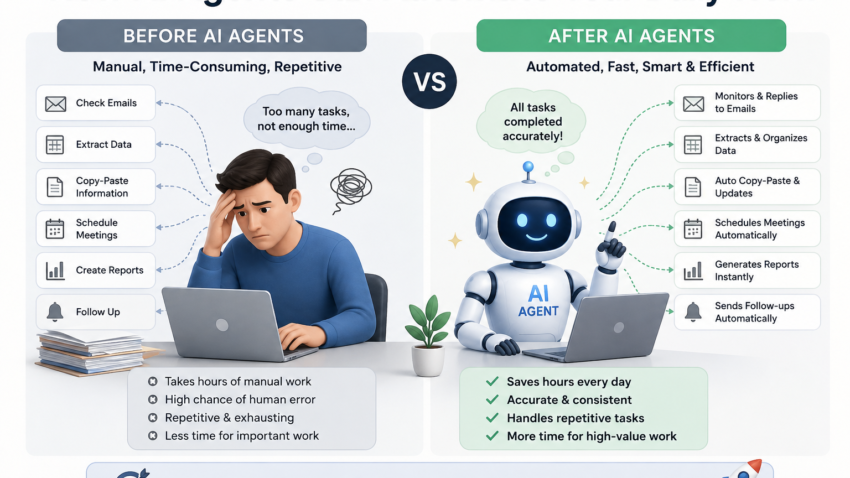
Forget the technical definitions for a second. Think of a regular AI chatbot as someone who answers your questions. An AI agent is someone who actually goes and does the task.
A chatbot can tell you how to summarize your inbox. An agent can open your inbox, read the important stuff, draft replies, and put the follow-ups on your calendar — without you babysitting every step.
The difference is action versus advice. That’s it.
Where I Started (and Why My First Attempt Flopped)
My first mistake was trying to automate everything at once. I connected a tool to my email, my calendar, and my task manager all in the same afternoon, expecting some magical assistant to just take over my life.
It was a mess. The agent replied to a client with the wrong tone, scheduled a meeting during my lunch break, and I spent more time fixing its mistakes than I would’ve spent doing the tasks myself.
The lesson: start small. Automate one annoying task first, get comfortable, then expand.
The Daily Tasks I Actually Automated (And What I Used)
1. Email Sorting and Drafting
I use Gmail, and honestly my inbox used to be a warzone. I hooked up a workflow using Zapier combined with ChatGPT’s API to sort incoming emails into categories client work, invoices, newsletters, spam-adjacent stuff.
For anything from a known client, it drafts a reply based on my past tone and leaves it in my drafts folder. I still review before sending, because early on it once agreed to a deadline I never approved. That was a wake-up call never let an agent send anything financial or contractual without your eyes on it first.
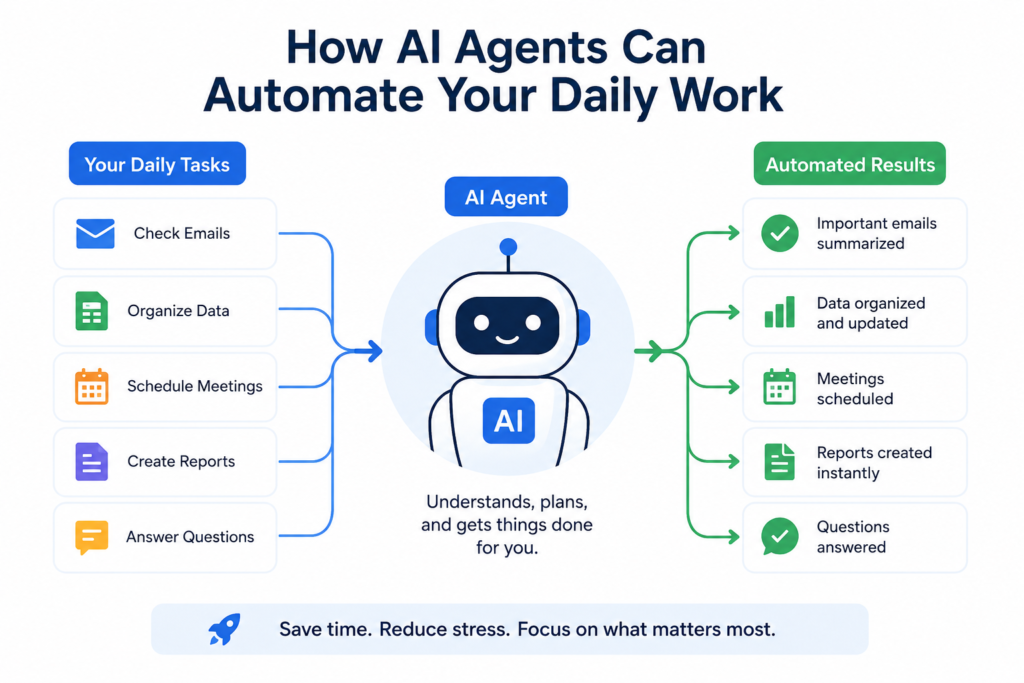
2. Meeting Notes and Follow-Ups
I started using Otter.ai for call transcriptions, then fed the transcript into an agent workflow that pulls out action items and drops them straight into my Notion task board.
Before this, I’d walk out of meetings with a vague memory of “someone needs to send something to someone.” Now I get an actual list, tagged by person, within minutes of the call ending.
3. Scheduling Without the Back-and-Forth
This one changed my life more than I expected. I use Motion (there’s also Reclaim.ai if you want something cheaper) to let an AI agent look at my calendar, my priorities, and my energy levels through the day, then actually schedule my tasks around meetings automatically.
No more “does 3 PM work for you?” email chains. The agent checks availability and books it.
4. Research and Reports
For anything that needs pulling data from multiple sources competitor pricing, market trends, whatever I use Claude or Perplexity set up to run recurring research tasks. I ask once, set a schedule, and get a summary in my inbox every Monday morning instead of spending two hours manually googling.
5. Repetitive Data Entry
If you work with spreadsheets even a little, Make (formerly Integromat) connected to Google Sheets has saved me hours. Invoices, expense tracking, form responses all pulled and organized automatically instead of copy-pasting like it’s 2012.
Step-by-Step: How to Actually Set One Up (Without Losing Your Mind)
Here’s the process I’d recommend if you’re starting from zero:
Step 1: Pick one annoying, repetitive task. Not five. One. Email sorting, meeting notes, whatever eats the most time with the least thinking involved.
Step 2: Choose a beginner-friendly tool. Zapier or Make for connecting apps. ChatGPT or Claude for the “thinking” part. Notion AI if you already live inside Notion.
Step 3: Build the simplest version first. Don’t try to automate the whole process end to end. Just get it to do the first 50%, like drafting instead of sending.
Step 4: Watch it closely for a week. Seriously, check every output. Agents are good, not perfect. I’ve caught wrong dates, misread names, and once a slightly too-casual tone in a message to a client I’d only met once.
Step 5: Expand slowly. Once one workflow is solid, add the next task. My full setup took about a month of small tweaks, not one big overnight overhaul.
Real Mistakes I Made (So You Don’t Have To)
- Letting it send messages unsupervised too early. Always review outgoing communication until you fully trust the pattern.
- Assuming it understood context it didn’t have. An agent doesn’t know your client had a rough week and needs a gentler tone unless you tell it that.
- Over-automating my calendar. I once had it schedule “deep work” blocks right during my usual coffee break. Small thing, but it threw off my whole rhythm. Now I set clear boundaries it can’t touch.
- Forgetting to update it when my workflow changed. I switched task managers once and the agent kept trying to push tasks to the old one for two weeks before I noticed.
Where Agents Actually Save Time (Realistically)
I’m not going to pretend this gave me back four extra hours a day. That’s the kind of fake promise that gets thrown around a lot, and it’s just not true for most people.
What it actually did: it cut my “admin overhead” the boring connective tissue between real work by roughly a third. Email triage, scheduling, note-taking, basic research pulls. The stuff that drains your brain but doesn’t need your brain.
The real work — actual decisions, creative thinking, talking to people still needs me. And honestly, that’s a good thing. It just means I spend more of my day doing the parts of my job I actually like.
A Quick Word on Trust and Privacy
If you’re automating anything involving client data, financial info, or personal messages, read the privacy policy of whatever tool you’re connecting. Some free-tier AI tools use your data for training unless you opt out. I learned to check this after almost connecting a client contract tool to a service that didn’t have clear data handling terms. Better to spend ten minutes reading than regret it later.
Final Thoughts
Setting up AI agents didn’t turn me into some hyper-productive superhuman overnight. It took patience, a few embarrassing mistakes, and a willingness to babysit the automation until it earned my trust.
But once it clicked, my Tuesdays stopped feeling like a fire drill. The inbox chaos calmed down. Meetings stopped disappearing into the void of forgotten follow-ups. And I got back the mental space to actually focus on the work that matters.
If you’re thinking about trying this, don’t aim for a fully automated life on day one. Pick the one task that annoys you the most right now, automate just that, and build from there. That’s really how it works one small win at a time, not a magic switch you flip.

Hamad Arshad
SEO Specialist | SEO Manager | GEO Strategist
7+ Years of Experience in SEO, GEO, AEO, AI SEO, Local SEO, Technical SEO, PPC, Google Ads & Meta Ads.








Leave a Reply