Best Free AI Headshot Generator for LinkedIn – 7 Top Picks
TL;DR: The best free AI headshot generator for LinkedIn is PixelPanda — 3 free headshots a day, no signup, no watermark. HeadshotMaster gives 2 free generations with no account plus daily credits, and FreeHeadshot.org offers a free daily set with no signup and deletes your photos within 24 hours. All 7 free options compared below.
Your LinkedIn photo is your first impression — profiles with professional photos get far more views and messages. A studio shoot costs hundreds, but AI headshot generators can turn a selfie into a recruiter-ready portrait in minutes. The catch: most “free” tools watermark your download or demand a card after one image. These 7 are genuinely free. Pair your new headshot with a strong resume from our best free AI resume builder for freshers guide for maximum impact.
1. PixelPanda
PixelPanda offers 3 free AI headshots per day with no signup and no watermark — the most frictionless free tier in this category.
- Free tier: 3 generations/day, no signup, no watermark
- How it works: Upload a selfie, pick a professional style, download in about 2 minutes
- Pros: Zero friction; consistent daily allowance; clean LinkedIn-ready output
- Cons: 3 per day cap; fewer outfit options than paid studio tools
Best for: Anyone who wants a quality LinkedIn headshot today with no account.
2. HeadshotMaster
HeadshotMaster gives 2 free generations without signing up, then daily credits keep you generating for free. Results arrive in about 30 seconds.
- Free tier: 2 free no-signup generations + earnable daily credits
- How it works: Single-photo generation with professional portrait styles
- Pros: Fastest free generation here; works from a single photo
- Cons: Best quality and styles sit behind premium plans
Best for: Testing AI headshots instantly before deciding on anything paid.
3. ZSky AI
ZSky AI offers unlimited free image generation with no credit card — rare in this space. Free-tier output carries a small wordmark, and commercial use is included.
- Free tier: Unlimited generations, no credit card, no signup wall
- How it works: Prompt-based generation and photo transformation in the browser
- Pros: No daily caps at all; no signup required; commercial rights included
- Cons: Small wordmark on free output; prompt skill affects quality
Best for: Experimenting freely with styles until you land the perfect shot.
4. Canva
Canva’s free plan includes AI image tools (Magic Design) that can restyle your photo into a polished headshot, plus built-in cropping to LinkedIn’s dimensions.
- Free tier: Free plan with limited AI credits, renewable
- How it works: Upload your photo, apply AI styles and background cleanup
- Pros: Full design suite attached — crop, background, text overlays in one place
- Cons: AI credits are limited; headshot-specific features are basic vs dedicated tools
Best for: People already using Canva who want everything in one workspace.
5. AIEase
AIEase is completely free with no signup: open the headshot generator, upload, and start creating with 100+ style options from corporate to creative.
- Free tier: Free, no signup, no payment info
- How it works: AI optimizes lighting, smooths backgrounds, and brightens your photo
- Pros: 100+ styles; genuinely no-signup; instant start
- Cons: Output can look over-smoothed compared to training-based tools
Best for: Maximum style variety with zero commitment.
6. FreeHeadshot.org
FreeHeadshot.org gives a free daily headshot set with no signup and no watermark — and it deletes your photos within 24 hours and never trains on them, the strongest privacy stance among free tools.
- Free tier: Free daily set, no signup, no watermark
- How it works: Upload selfies, receive a set of professional headshots
- Pros: Privacy-first (24-hour deletion); watermark-free; no account needed
- Cons: Daily set limit; smaller style catalog than big platforms
Best for: Privacy-conscious users who won’t trade their face data for a free photo.
7. MyEdit
MyEdit by CyberLink offers 3 daily AI credits for headshot generation and photo enhancement, backed by an established software company.
- Free tier: 3 daily credits free
- How it works: AI headshot styles plus enhancement tools (lighting, backgrounds)
- Pros: Trusted developer; doubles as a general photo editor
- Cons: 3 credits/day runs out fast if you’re iterating on styles
Best for: Users who also want AI photo editing beyond headshots.
Comparison Table: 7 Free AI Headshot Generators
| Tool | Free tier | Signup needed | Watermark | Best for |
|---|---|---|---|---|
| PixelPanda | 3/day | No | No | Frictionless daily headshots |
| HeadshotMaster | 2 free + daily credits | No (trial) | No | Instant 30-second results |
| ZSky AI | Unlimited | No | Small wordmark | Unlimited experimentation |
| Canva | Limited AI credits | Yes | No | All-in-one design workflow |
| AIEase | Free | No | Varies | 100+ style options |
| FreeHeadshot.org | Daily set | No | No | Privacy-first users |
| MyEdit | 3 credits/day | Yes | No | Editor + headshots combo |
How to Choose the Best Free AI Headshot Generator for LinkedIn
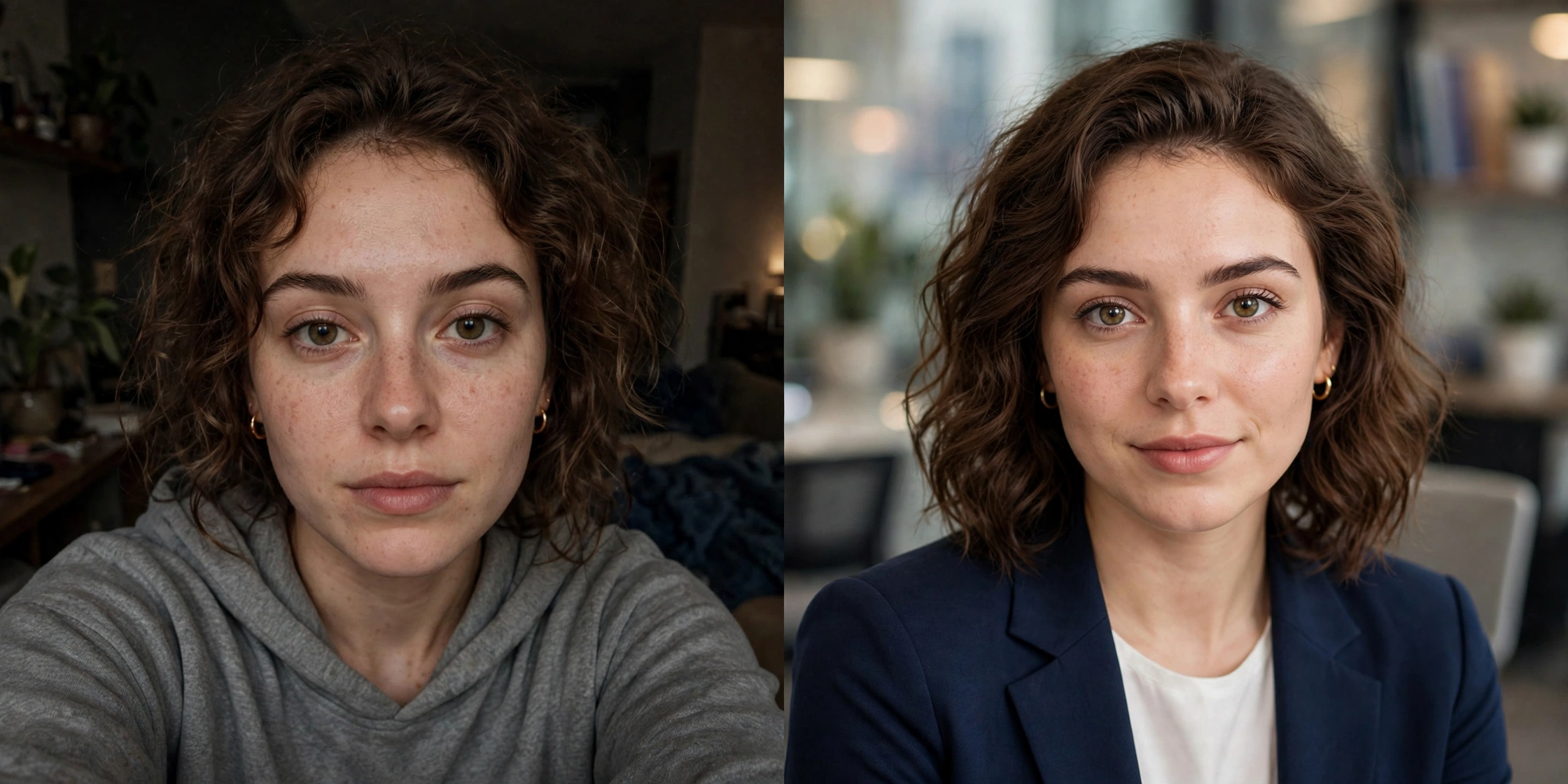
Start with likeness, not beauty. LinkedIn permits AI headshots as long as the image accurately represents you. Pick the output that looks like you on a good day — over-glamorized results hurt more than help when someone meets you in person.
Check the watermark and license. A watermarked photo screams “free tool” to recruiters. PixelPanda, HeadshotMaster, and FreeHeadshot.org all give watermark-free results on their free tiers. If you’ll use the photo commercially (company website, speaker bio), confirm the license allows it.
Mind your privacy. You’re uploading biometric data. FreeHeadshot.org deletes photos within 24 hours; others vary. Always check the privacy policy, and delete your data from the platform dashboard after downloading.
Use a good input photo. Every tool performs better with a clear, front-facing, well-lit selfie. No tool fixes a blurry screenshot. Students polishing their first professional profile should also see our best free AI coding assistant for students — skills and photo together make the profile.

Frequently Asked Questions
Yes. PixelPanda gives 3 free watermark-free headshots daily with no signup, HeadshotMaster offers 2 free generations without an account, and FreeHeadshot.org provides a free daily set with no watermark. All three produce LinkedIn-usable results without entering payment details.
Yes. LinkedIn allows AI-generated profile photos as long as the image accurately reflects your likeness. Heavily distorted images or face swaps that don’t look like you can undermine trust with recruiters and connections.
At LinkedIn’s display size, quality outputs from these tools are hard to distinguish from studio photos. The giveaway is usually over-smoothed skin or inconsistent features — pick the most natural-looking result, not the most glamorous one. A complete profile also helps: see how you appear in AI search with the <a href=”/best-free-ai-mode-rank-tracker-tool/”>best free AI Mode rank tracker tool</a>.
It varies. FreeHeadshot.org deletes uploads within 24 hours and states it never trains on them. Others retain photos for varying periods or are vague about training use. Read each tool’s privacy policy before uploading, and delete your data afterward.
LinkedIn displays profile photos as a circle cropped from a square image. Upload at least 400 × 400 pixels (800 × 800 or higher looks sharper); the maximum file size is 8 MB. JPG or PNG both work.
It depends on the tool’s terms. ZSky AI includes commercial rights on its free tier; others may restrict free output to personal use. Check the license before using a free headshot on a company website, in ads, or on client materials.

Hamad Arshad
SEO Specialist | SEO Manager | GEO Strategist
7+ Years of Experience in SEO, GEO, AEO, AI SEO, Local SEO, Technical SEO, PPC, Google Ads & Meta Ads.