

Intelligent Automation
Most office work is not hard. It is just repetitive. Copying numbers from one system into another, renaming files, sorting emails, chasing the same report every Friday. Intelligent automation exists to take that layer of work off human shoulders, and unlike the rigid automation of the past, it can actually think a little while it works.
So what is intelligent automation? It is the combination of artificial intelligence with automation software. Regular automation follows fixed rules: if this happens, do that. Intelligent automation adds understanding to the loop. It can read a document, decide what kind of document it is, pull out the right details, and then act on them. This guide explains how it works, where it is used, what it does well, and where it still needs a human watching over it.
What Is Intelligent Automation in Simple Words
Think of ordinary automation as a train on rails. It is fast and reliable, but it can only go where the track was laid. Intelligent automation is more like a careful assistant with a map. It still follows your instructions, but when the road looks different from what it expected, it can adjust instead of stopping and flashing an error light.
In practice, the term covers a stack of technologies working together. Robotic process automation, usually shortened to RPA, handles the clicking, copying and typing inside software. Artificial intelligence supplies the judgement: reading text, recognising images, understanding language and spotting patterns. Workflow tools connect the steps so a whole process, from a customer email arriving to the final record being updated, can run with minimal human touch.
This is also where intelligent automation meets the agent trend. If you have read about free AI agents, you have seen the same idea from another angle: software that does not just answer questions, but completes tasks.
How Intelligent Automation Works
A typical setup has four layers:
- Capture. The system takes in information from emails, forms, scanned documents, databases or sensors.
- Understand. AI models read and classify that information: this is an invoice, that is a complaint, this photo shows a damaged parcel.
- Decide. Rules and learned patterns work out what should happen next, and how confident the system is about it.
- Act. Automation software does the work: updating records, sending replies, placing orders or flagging a person when the case is unusual.
The confidence part matters more than people expect. A well-designed system handles the clear cases itself and quietly hands the messy ones to a human, instead of guessing. That handover is the difference between automation that helps and automation that creates expensive mistakes at high speed.
Where Intelligent Automation Is Used
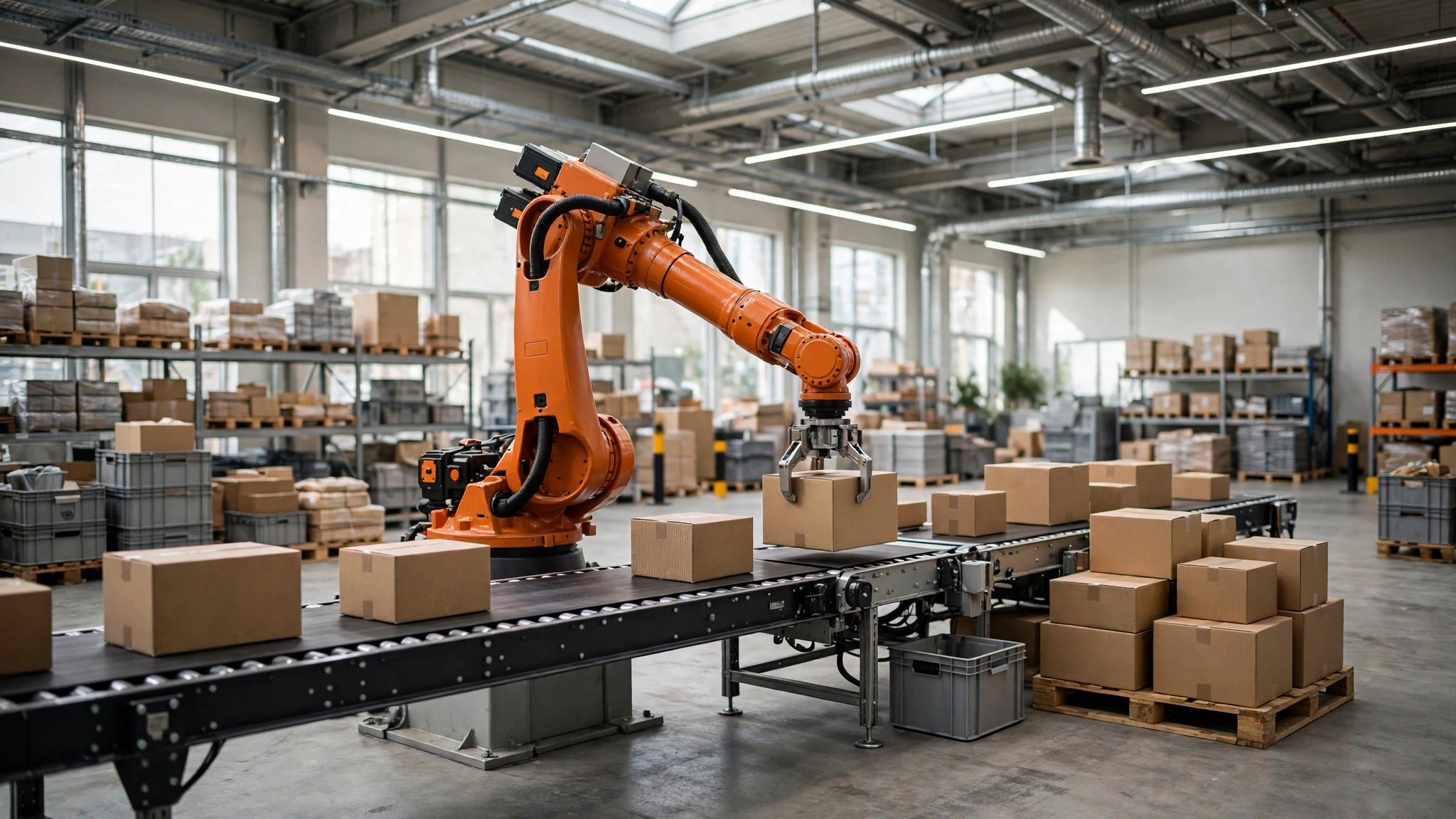
The honest answer is almost everywhere office work repeats itself. Banks use it to check identity documents and process loan paperwork. Hospitals use it to sort patient records and schedule appointments. Warehouses pair it with robots that sort, pack and track stock around the clock.
It is not only for giant companies, either. The same ideas now appear in traditional industries far from Silicon Valley. Our look at AI in construction shows how builders use smart software to handle plans, schedules and safety checks that used to eat up days of paperwork.
For individuals, the simplest version is already on your desk. The way AI agents can automate your daily work is a good starting point if you want to see the personal end of the scale before thinking about whole departments.
Benefits of Intelligent Automation
The gains people actually report are fairly consistent:
- Speed. Processes that took days of back-and-forth often finish in minutes, because the software does not queue, sleep or wait for Monday.
- Fewer errors. A system does not get tired at 4 p.m. and transpose two digits in a spreadsheet.
- Lower cost per task. The software licence costs money, but each repeated task it absorbs is cheaper than the last.
- Happier staff. Few people mourn the loss of copy-paste work. Teams usually redeploy the saved hours to customers and problem-solving.
- Better records. Every automated step is logged, which makes audits and troubleshooting far easier than digging through someone’s memory.
None of this means every process should be automated. A task that changes every week, or one where a wrong answer is dangerous, may be a poor candidate no matter how clever the software is.

Challenges and Limits
Intelligent automation has real limits, and vendors do not always volunteer them. Messy input is the first one. If your documents are inconsistent, your data is full of duplicates, or your process lives in people’s heads rather than on paper, the AI layer will struggle until that groundwork is fixed.
Cost and skills come next. Serious platforms need setup, training and maintenance, and someone in the building has to own the system when it misbehaves. There is also the human side to handle honestly: people worry, reasonably, about what happens to their roles. The projects that go well usually retrain staff for the judgement work the software cannot do, rather than pretending the question does not exist.
Finally, judgement calls remain human territory. Approving a borderline insurance claim, handling an angry customer, deciding an exception is worth making: software can prepare everything for these decisions, but the final call should stay with a person who can be accountable for it.
Intelligent Automation vs Regular Automation
The short version: regular automation is better when the task never changes and the inputs are always identical. Intelligent automation earns its keep when inputs vary, documents need reading, or decisions branch in ways a fixed rulebook cannot cover. Many real systems mix both, using cheap rule-based steps where they work and AI only where understanding is genuinely needed. That mix, chosen with clear eyes, is what the word “intelligent” should really mean.
Intelligent automation is the combination of artificial intelligence with automation software. Instead of only following fixed rules, it can read documents, understand language and images, make simple decisions, and then complete tasks inside business software with minimal human help.
RPA, or robotic process automation, copies human actions like clicking, typing and moving data between systems, following strict rules. Intelligent automation adds AI on top of RPA, so the system can also understand unstructured input like emails and scanned documents and decide what to do with them.
Common examples include software that reads invoices and pays them, chat systems that resolve routine customer requests, document processing in banks and hospitals, warehouse robots that sort stock, and tools that prepare reports automatically from raw data.
The main benefits are speed, fewer human errors, lower cost per repeated task, complete logs of every step, and staff time freed from copy-and-paste work for tasks that need judgement and customer contact.
It replaces tasks more than whole jobs. Repetitive data handling is usually what disappears, while roles shift toward exceptions, decisions and customer relationships. Projects go best when companies retrain staff for that judgement work instead of only cutting headcount.
Costs vary widely. Simple tools aimed at individuals and small teams can be free or a small monthly fee, while enterprise platforms with RPA, AI models and support run into thousands per year. The real cost also includes setup, data cleanup and staff training.

Hamad Arshad writes and edits AI Next Top from Rahim Yar Khan, Pakistan. He has worked in SEO and digital marketing for over 7 years and started this site to explain AI tools and news in plain language for non-technical readers. Every guide here is checked against the real tool before it is published.








Leave a Reply