
Gemini AI Photo Prompt Copy Paste Trending Boy
Every trending boys’ DP and Instagram post right now has one thing in common — the photo was edited with Google Gemini. One clear selfie goes in, and out comes a cinematic portrait, a bike pose at golden hour, or a royal traditional look that looks like a professional photoshoot.
You do not need editing skills for this. You need the right prompt. Below are ready-made Gemini AI photo prompts for boys — just copy, paste, add your photo, and generate. If you are new to Gemini, our ChatGPT vs Claude vs Gemini comparison shows what the model does best, and most of these edits use its image model covered in our Google Gemini 4 Carbon Model breakdown.
How to Use These Prompts (30 Seconds)
- Open the Gemini app or gemini.google.com and sign in.
- Tap the “+” button and upload a clear photo of your face (front-facing, good light, no sunglasses).
- Copy any prompt below, paste it in the chat, and send.
- Wait a few seconds — download the result in full quality.
One rule that decides everything: every prompt below starts with face protection. Keep the line “keep my face 100% same” in every prompt, or Gemini may change your face while changing everything else.
Attitude and Stylish Boy Prompts
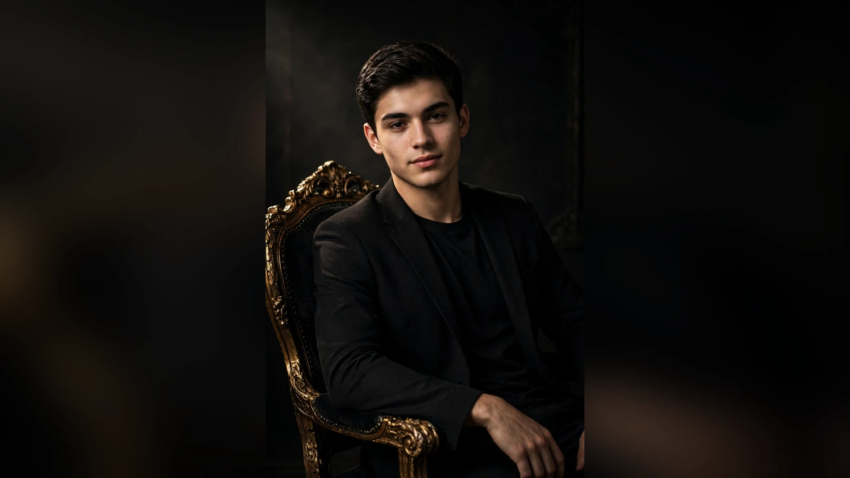
Prompt 1 – Royal Chair Look
“Transform my photo into a royal attitude portrait. Keep my face 100% same. I am sitting on a luxury carved chair in a dark studio, wearing a black blazer over a black t-shirt, sunglasses in one hand, confident expression, dramatic spotlight from the side, ultra-detailed, 4K portrait photography.”
Prompt 2 – Street Style DP
“Edit my photo into a stylish street-style portrait. Keep my face 100% same. I am standing on a city street at blue hour wearing an oversized white t-shirt, black cargo pants and white sneakers, arms crossed, blurred city lights behind me, cinematic colour grading, DSLR photo look.”
Prompt 3 – Black and White Classic
“Convert my photo into a timeless black and white portrait. Keep my face 100% same. Side window light, deep shadows, wearing a dark turtleneck, serious thoughtful expression, fine-art photography style, sharp details.”
Bike and Car Prompts
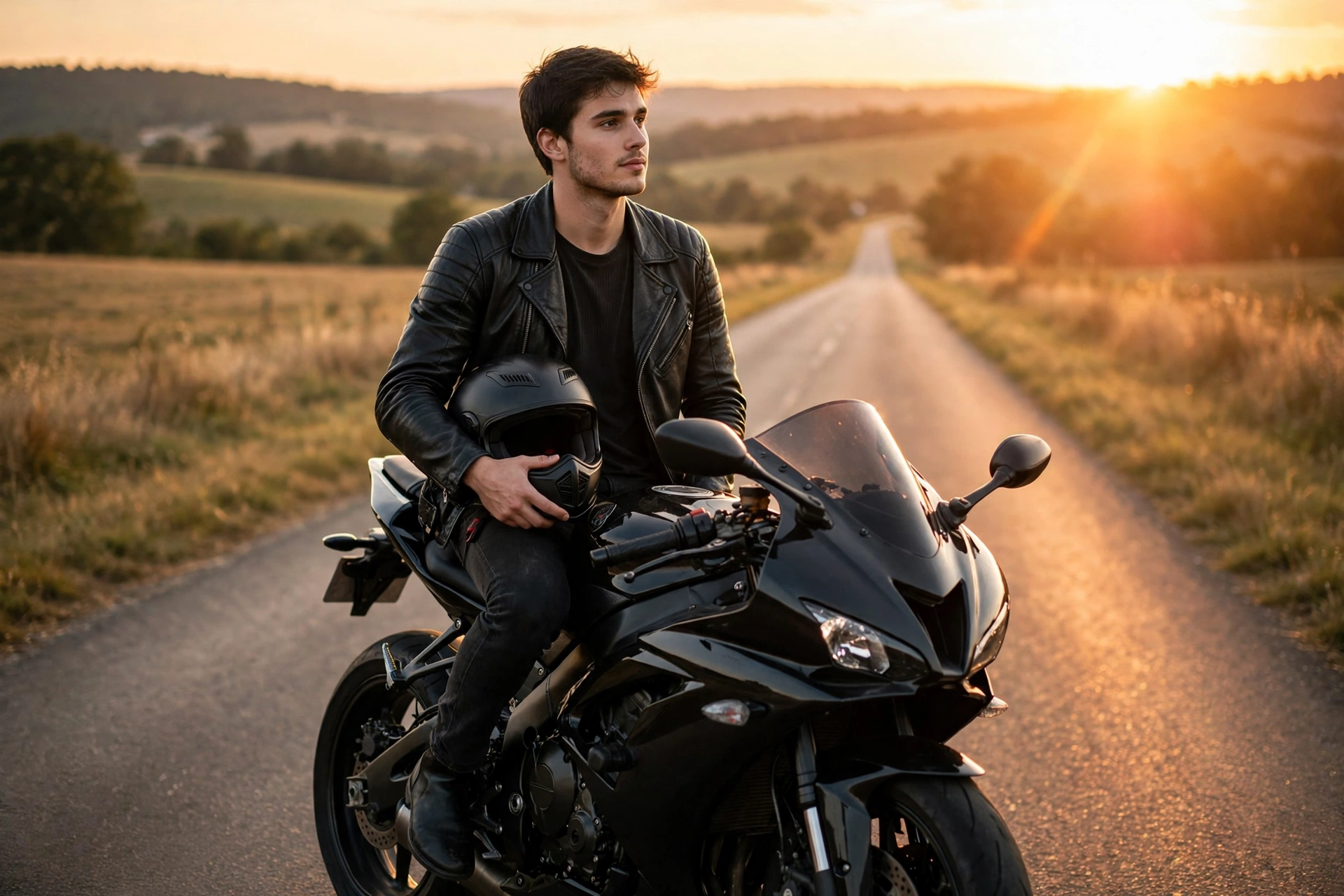
Prompt 4 – Sports Bike Golden Hour
“Edit my photo so I am sitting on a black sports bike on an open road at golden hour. Keep my face 100% same. Wearing a black leather jacket and jeans, helmet in my hand, sun flare behind the bike, cinematic wide shot, ultra realistic.”
Prompt 5 – Luxury Car Pose
“Transform my photo into a luxury lifestyle shot. Keep my face 100% same. I am leaning against a black luxury SUV at night, wearing a fitted black shirt and watch, city neon lights reflecting on the car, premium magazine photography style.”
Traditional and Kurta Look Prompts
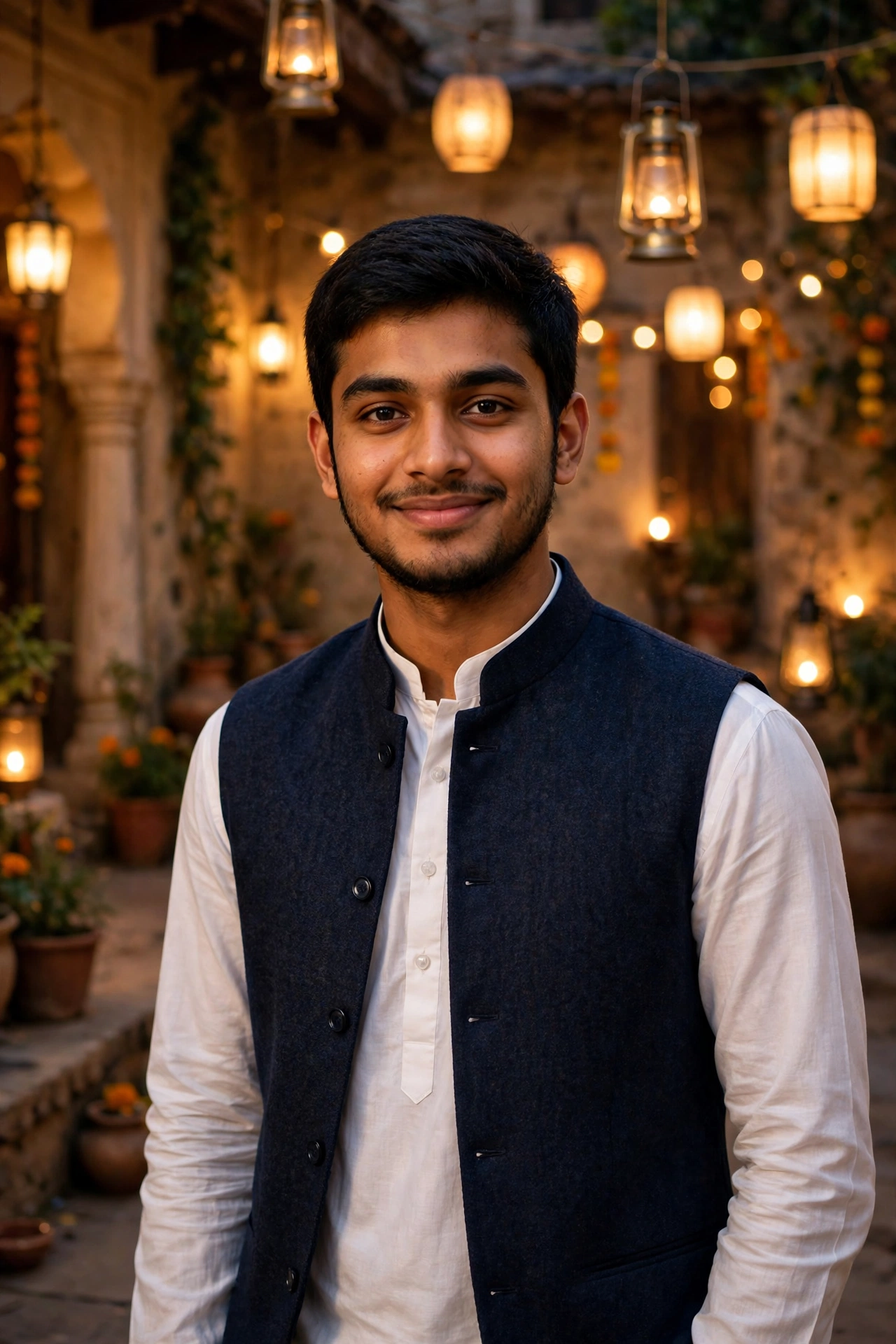
Prompt 6 – Eid Kurta Portrait
“Edit my photo into an elegant traditional portrait. Keep my face 100% same. I am wearing a crisp white kurta with a dark waistcoat, standing in a softly lit courtyard with warm lanterns in the background, gentle smile, festive photography, ultra detailed.”
Prompt 7 – Royal Wedding Guest
“Transform my photo into a royal wedding-guest look. Keep my face 100% same. Wearing an embroidered sherwani in deep maroon with a golden stole, palace-style decorated hall in the background, warm golden lighting, premium wedding photography.”
Nature and Travel Prompts
Prompt 8 – Mountain Travel Look
“Edit my photo so I am standing on a mountain viewpoint above the clouds at sunrise. Keep my face 100% same. Wearing a brown winter jacket and backpack, wind in my hair, epic cinematic landscape, realistic travel photography.”
Prompt 9 – Beach Sunset Pose
“Transform my photo into a beach sunset portrait. Keep my face 100% same. I am standing on wet sand wearing a white linen shirt with sleeves rolled up, golden sunset sky and soft waves behind me, dreamy warm tones, DSLR portrait.”
Gym and Fitness Prompts
Prompt 10 – Gym Mirror Look
“Edit my photo into a powerful gym portrait. Keep my face 100% same. I am standing in a modern gym holding dumbbells, wearing a black compression t-shirt, dramatic overhead lighting, motivational fitness photography, sharp muscle definition, ultra realistic.”
Prompt 11 – Boxer Training Shot
“Transform my photo into an intense boxing training shot. Keep my face 100% same. Wearing hand wraps and a dark tank top, punching bag beside me, moody dark gym with a single spotlight, sweat details, gritty sports photography.”
Birthday and Celebration Prompts
Prompt 12 – Birthday King Edit
“Edit my photo into a premium birthday portrait. Keep my face 100% same. I am standing in front of a black and gold balloon decoration wearing a stylish black suit, cake table beside me, warm party lights, celebration photography, ultra detailed.”
Prompt 13 – Cafe Aesthetic Look
“Transform my photo into an aesthetic cafe portrait. Keep my face 100% same. Sitting by a cafe window with a coffee cup, wearing a beige overshirt, soft daylight, books and plants around, calm premium lifestyle photography.”
Cinematic and Movie Style Prompts
Prompt 14 – Movie Poster Hero
“Edit my photo into a Bollywood action movie poster look. Keep my face 100% same. I am walking towards the camera in slow-motion style, wearing a black shirt with rolled sleeves, dust and dramatic orange-teal sky behind me, blockbuster poster quality.”
Prompt 15 – Rain Walk Cinematic
“Transform my photo into a cinematic rain scene. Keep my face 100% same. I am walking on a wet street holding a black umbrella, wearing a long dark coat, neon signs reflecting on the wet road, moody movie-still photography.”
Tips to Get the Best Result Every Time
- Use a solo photo. Group photos confuse the face match — crop to just yourself first.
- Good light beats a fancy camera. A simple daylight selfie gives the cleanest result.
- Generate 2–3 times. The second or third version is often sharper — pick the best.
- Add “ultra realistic, 4K, DSLR photography” at the end of any prompt for more detail.
- If the face changes, shorten the prompt and keep the face line first.
Want to write your own prompts instead of copying? The basics in our guide on how to become a prompt engineer — clear subject, clear scene, clear style — are exactly what make these photo prompts work.
FAQ
Open the Gemini app, upload a clear solo photo of your face, paste the prompt into the chat, and send. Gemini edits your photo according to the prompt in a few seconds. Keep the line “keep my face 100% same” at the start of every prompt so your face does not change.
It usually happens when the uploaded photo is blurry, taken from the side, or has sunglasses or a cap covering the face. Use a front-facing daylight photo, keep the face-protection line first in the prompt, and regenerate — the face match improves a lot.
Yes. Photo editing with prompts works on the free Gemini plan, though free users get a daily generation limit. Every prompt in this list works on the free plan — just copy, paste, and generate.
A clear, front-facing selfie in natural light, with your full face visible and no filter already applied. Solo photos work far better than group photos. A plain background in the original photo also helps Gemini rebuild the scene cleanly.
Yes, that is what most people use them for. After generating, download the image in full quality instead of taking a screenshot — screenshots reduce quality. For Instagram, ask Gemini for a portrait crop by adding “vertical 4:5 portrait” to the prompt.
Add detail words at the end — “ultra realistic, 4K, DSLR photography, natural skin texture, sharp focus”. Also describe the light (“golden hour”, “soft window light”, “dramatic spotlight”), because lighting is what makes an edit look like a real photoshoot instead of a filter.
Hamad Arshad writes and edits AI Next Top from Rahim Yar Khan, Pakistan. He has worked in SEO and digital marketing for over 7 years and started this site to explain AI tools and news in plain language for non-technical readers. Every guide here is checked against the real tool before it is published.








Leave a Reply