AIS Timetable – How AI Timetable Generators Build Class Schedules
TL;DR: An AIS timetable (AI timetable) is a class schedule built by an AI timetable generator — software that automatically assigns subjects, teachers, rooms, and time slots while avoiding conflicts. Instead of spending days building schedules by hand, schools and colleges enter their classes, teachers, and constraints, and the AI produces an optimized, conflict-free weekly timetable in minutes. Popular options include TimetableMaster and open-source AI timetable generator projects.
What Is an AIS Timetable?
An AIS timetable is a school or college timetable created with the help of artificial intelligence. “AIS” here simply means AI-powered scheduling: you feed the system your subjects, teachers, classrooms, weekly periods, and rules (for example, “no teacher teaches two classes at once” or “labs need double periods”), and the AI builds the full weekly schedule automatically. It replaces the traditional manual process where an administrator spends days or weeks juggling spreadsheets, only to discover clashes after the term starts.
How Does an AI Timetable Generator Work?
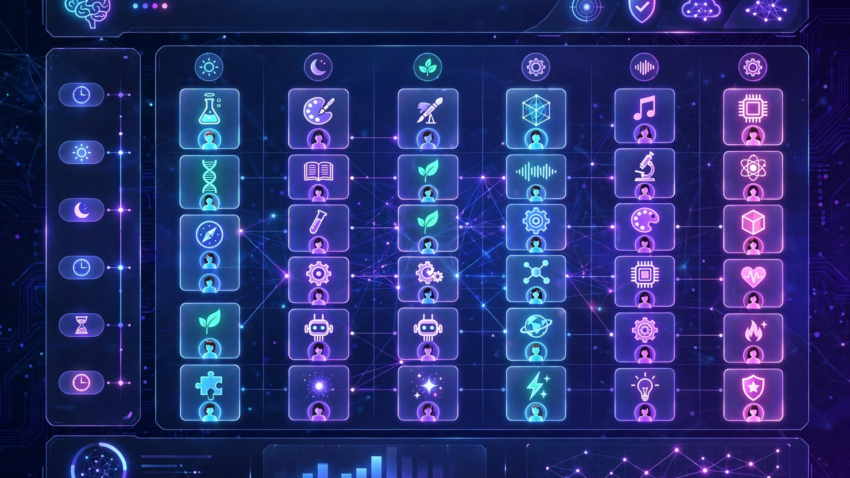
AI timetable generators treat scheduling as a constraint-satisfaction problem. First, you enter the inputs: classes, subjects, teachers and their availability, rooms, period timings, and weekly load per subject. The engine — often built on constraint programming (like Google OR-Tools), genetic algorithms, or heuristic search — then tries thousands of combinations, scoring each against your rules. It penalizes conflicts (a teacher double-booked, a room clash), balances workloads (no teacher overloaded on Mondays), and respects special needs (labs in consecutive periods). The best-scoring schedule is presented as a weekly grid you can still tweak by drag and drop.
Key Features of AI Timetable Generators

Automatic conflict detection — the AI refuses to double-book a teacher or a room, catching clashes instantly.
- Constraint-based scheduling — teacher availability, room capacity, lab double-periods, and break times are all respected.
- Workload balancing — teaching hours spread fairly across staff and across the week.
- Multi-class generation — builds timetables for every class in the school in one run, not one by one.
- Drag-and-drop editing — fine-tune the AI’s draft manually after generation.
- Export and sharing — download as PDF or Excel, or share digitally with staff and students.
Best AI Timetable Generator Tools
- TimetableMaster — an online school timetable generator: enter classes, teachers, subjects, and classrooms, configure lessons and constraints, and its AI engine generates an optimized, conflict-free timetable in seconds, with PDF/Excel export and a drag-and-drop editor. Best for schools wanting a polished hosted tool.
- Open-source AI timetable generators — GitHub hosts several AI-powered timetable projects (constraint-solver based, e.g. built with Google OR-Tools or Python heuristics) that schools with technical staff can self-host for free. Best for institutions with developer resources.
- AI schedule makers — general AI scheduling tools that also handle school timetables alongside personal and work schedules, using constraint optimization. Best for small institutions or individual teachers.
Schools exploring more AI for administration should also see our guides to AI tools for small businesses and AI automation tools.
AI Timetable vs Manual Timetabling: Comparison
| Factor | AI Timetable Generator | Manual Timetabling |
|---|---|---|
| Time required | Minutes | Days to weeks |
| Conflict detection | Automatic, instant | Found late, fixed by hand |
| Constraint handling | All rules checked at once | Easy to miss one |
| Workload fairness | Balanced by algorithm | Depends on the planner |
| Last-minute changes | Regenerate in seconds | Rework the whole grid |
| Best for | Schools, colleges, training centers | Very small setups |
How Much Do AI Timetable Generators Cost?
Many AI timetable generator projects are open-source and free to self-host. Hosted tools like TimetableMaster typically use freemium or subscription pricing — check the vendor’s current plans before committing. Compared with the staff hours a manual timetable consumes every term (often weeks of administrator time), even a paid tool usually pays for itself in the first scheduling cycle. Institutions automating broader workflows should also look at how AI agents automate daily work.

Should Your School Use an AI Timetable Generator?
Use one if: your school has more than a handful of classes, teachers complain about clashes or unfair loads, or every term’s schedule takes weeks to finalize. Stick with manual scheduling if: you run a tiny setup with two or three classes where a spreadsheet is genuinely faster. For most schools and colleges, the AI route wins on speed alone — and the conflict-free guarantee is the real prize. Pair it with AI voice agents for small business if you also want AI handling parent and admission calls.
Frequently Asked Questions
An AIS timetable is a class schedule built by an AI timetable generator — software that automatically assigns subjects, teachers, rooms, and time slots while avoiding conflicts, replacing days of manual spreadsheet work.
You enter classes, subjects, teachers, rooms, and rules; the AI engine (using constraint programming, genetic algorithms, or heuristics) tests thousands of combinations and produces the highest-scoring conflict-free weekly schedule.
TimetableMaster is a popular hosted option with AI optimization and PDF/Excel export; several open-source AI timetable generator projects on GitHub are free for schools with technical staff.
Yes — conflict detection is the core strength: the AI will not double-book a teacher or room and flags any rule violation instantly during generation.
Many open-source projects are free to self-host; hosted tools typically offer free trials or freemium plans with paid tiers for larger schools.
No — the AI produces an optimized draft in minutes, but administrators still review it, apply judgment calls, and handle last-minute changes.
Conclusion
An AIS timetable is simply a better way to build class schedules: instead of weeks of manual juggling, AI generates a conflict-free, balanced weekly timetable in minutes. Whether you run a school, a college, or a training center, an AI timetable generator removes the most tedious part of academic administration. Enter your data once, let the AI do the combinatorial heavy lifting, and start the term clash-free.

Hamad Arshad
SEO Specialist | SEO Manager | GEO Strategist
7+ Years of Experience in SEO, GEO, AEO, AI SEO, Local SEO, Technical SEO, PPC, Google Ads & Meta Ads.