
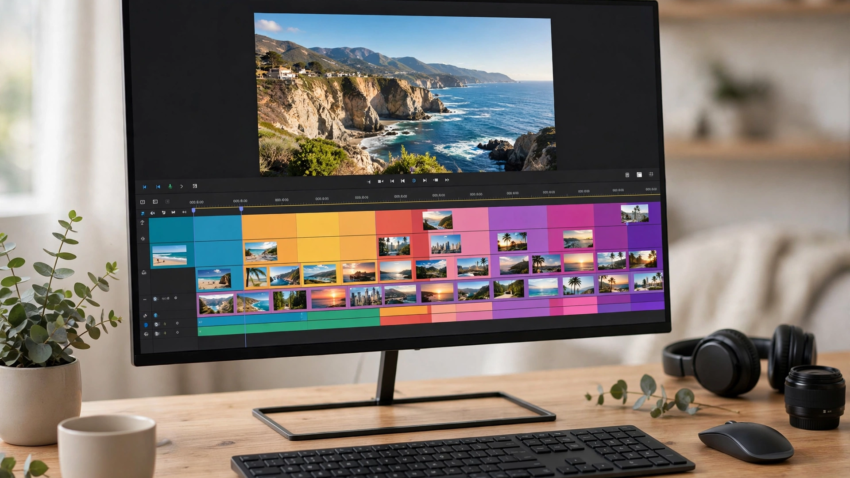
Editing Software Free No Watermark
TL;DR: The best video editing software free with no watermark overall is CapCut for beginners and short-form content, and DaVinci Resolve if you want professional power. Shotcut, OpenShot, and Kdenlive are fully free open-source editors with zero watermarks, Clipchamp is the easiest browser/Windows option from Microsoft, and VSDC is a solid free pick for Windows users. Every editor on this list exports clean videos without a logo stamp on the free version.
Finding video editing software free with no watermark is harder than it should be: most “free” editors stamp your export with a logo unless you pay. The seven editors below don’t. They’re genuinely free — a few are open source, and the rest have free tiers that export clean, watermark-free video at full quality. Whether you’re editing YouTube videos, TikToks, school projects, or client work, one of these will fit. And if you’re creating on your phone, several of these pair with the tools in our best AI apps for iPhone guide.
Why do most free editors add a watermark?
Watermarks are a business model: the company gives you the editor for free, then charges to remove the branding from your export. Open-source editors don’t do this because they’re community-funded, and a few commercial editors (CapCut, Clipchamp, DaVinci Resolve’s free version) skip watermarks to win market share. The list below sticks to software where the free export is truly clean — no logo, no forced end-screen, no trial stamp. Here’s the quick comparison:
| Editor | Best for | Platform | Difficulty |
|---|---|---|---|
| CapCut | Beginners, TikTok/Reels | Win, Mac, Web, Mobile | Easy |
| DaVinci Resolve | Professional editing | Win, Mac, Linux | Advanced |
| Shotcut | All-round open source | Win, Mac, Linux | Medium |
| OpenShot | Absolute beginners | Win, Mac, Linux | Easy |
| Kdenlive | Powerful open source | Win, Mac, Linux | Medium |
| Clipchamp | Quick browser edits | Web, Windows | Easy |
| VSDC | Windows features | Windows | Medium |
1. CapCut — the best free editor for beginners and short-form video
CapCut is the easiest path to a polished video: drag-and-drop editing, auto captions, trending effects, background removal, and a huge template library. The desktop and web versions export watermark-free video for free, which is why it’s the default editor for millions of TikTok and Reels creators. If you need narration for your edits, combine it with a text to speech Chrome extension for instant voiceovers.
Website: capcut.com
2. DaVinci Resolve — the best professional editor that’s actually free
DaVinci Resolve is Hollywood-grade software — color grading, Fusion effects, Fairlight audio — with a free version so complete that most users never need the paid Studio edition. And yes, the free version exports without any watermark. The learning curve is steeper, but free official training makes it manageable. For serious YouTube or film work, this is the strongest free editor on Earth.
Website: blackmagicdesign.com
3. Shotcut — the best all-round open-source editor
Shotcut is a free, open-source editor with native timeline editing, wide format support, and no watermark ever — because there’s no paid version pushing upgrades. It handles 4K, has solid filters and transitions, and runs on Windows, Mac, and Linux. A dependable middle ground between beginner tools and pro software.
Website: shotcut.org

4. OpenShot — the easiest editor for absolute beginners
OpenShot is designed for people who have never edited before: a simple timeline, drag-and-drop clips, basic titles, and quick exports. It’s open source and completely watermark-free. If DaVinci feels intimidating, start here — you can finish your first video in minutes. Creators making quick social clips might also like our roundup of AI ad creative tools for Instagram.
Website: openshot.org
5. Kdenlive — the most powerful open-source editor
Kdenlive is the open-source community’s flagship editor: multi-track editing, proxy workflows for big files, effects, and titling — all free, all watermark-free. It’s a favorite on Linux and increasingly popular on Windows and Mac. If you outgrow OpenShot, Kdenlive is the natural next step before DaVinci.
Website: kdenlive.org
6. Clipchamp — the best browser editor from Microsoft
Clipchamp (now owned by Microsoft) runs in your browser and comes built into Windows 11. The free plan exports 1080p video with no watermark, and includes stock assets, templates, and text-to-speech narration. For quick edits without installing anything heavy, it’s the most convenient option on this list.
Website: clipchamp.com
7. VSDC — the best free editor for Windows features
VSDC packs features most free editors reserve for paid tiers: screen recording, voiceover tools, video stabilization, and masking. The free version exports without watermarks and supports 4K. The interface takes some getting used to, but Windows users get a lot of power for zero cost.
Website: videosoftdev.com
How to choose the right free editor for your project
Match the editor to the job: short-form social video → CapCut; long-form YouTube or film → DaVinci Resolve; general desktop editing → Shotcut or Kdenlive; first-ever video → OpenShot; quick browser edit → Clipchamp; Windows feature set → VSDC. All seven export without watermarks, so you can switch freely as your skills grow — your files won’t be branded either way.
Does “free” mean lower export quality?
No. Watermark-free free editors like DaVinci Resolve, Shotcut, and Kdenlive export at full resolution (up to 4K) with the same codecs as paid software. What paid tiers usually add is convenience — cloud storage, premium effects libraries, team features — not cleaner exports. Your audience will never know which of these you used.
FAQ
CapCut is the best for beginners and short-form content; DaVinci Resolve is the best for professional work. Both export completely watermark-free on their free versions.
Yes. CapCut’s desktop, web, and mobile apps export videos without a watermark for free. Optional Pro features exist, but removing watermarks is not one of the paid gates.
No. The free version of DaVinci Resolve exports without any watermark, at up to 4K resolution. The paid Studio version adds features, not watermark removal.
OpenShot and CapCut are the easiest. OpenShot has the simplest timeline for desktop; CapCut adds templates and auto captions that make videos look polished with almost no skill.
Yes. Shotcut, OpenShot, and Kdenlive are well-known open-source projects. Download them only from their official websites (shotcut.org, openshot.org, kdenlive.org) to stay safe.
Absolutely. Many successful channels edit entirely in DaVinci Resolve free, CapCut, or Kdenlive. Since there’s no watermark, your videos look fully professional.

Hamad Arshad
SEO Specialist | SEO Manager | GEO Strategist
7+ Years of Experience in SEO, GEO, AEO, AI SEO, Local SEO, Technical SEO, PPC, Google Ads & Meta Ads.







Leave a Reply