
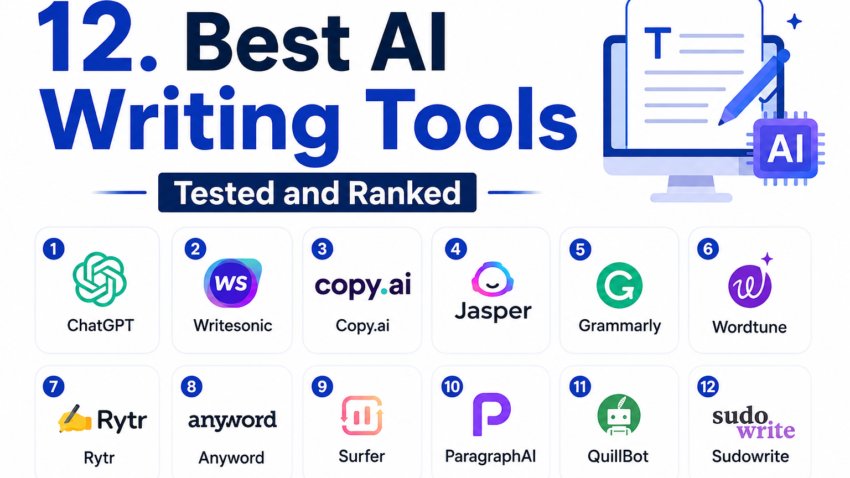
Best AI Writing Tools Tested and Ranked
Three months ago, I had a spreadsheet with six different AI writing tool subscriptions on it. Six. My credit card statement looked like I was running some kind of software reseller business instead of just trying to get my client blog posts done faster.
That’s when I decided enough was enough. I gave myself a project: actually test every major AI writing tool properly, on real work, for at least a week each, and figure out which ones were worth keeping. Not skimming the homepage. Not reading five other “best AI writing tools” listicles that clearly never opened half these apps. Actual hands-on use.
What I found surprised me. The tool everyone raves about on Twitter wasn’t even in my final top three. And one tool I almost skipped because it looked boring ended up being the one I use every single day now.
Here’s everything I learned, including the mistakes that cost me time and a little bit of dignity.
Why I Even Started This Mess
I write content for a handful of small business clients mostly blog posts, product descriptions, and email newsletters. Somewhere around last year, everyone started asking “are you using AI for this?” and honestly, some of them wanted a faster turnaround and a lower rate to match.
So I started experimenting. Badly, at first. I’d generate a whole blog post with one tool, barely edit it, and send it off. One client called me out because the article sounded exactly like every other AI-generated post about “unlocking your business potential.” That was embarrassing, and it taught me lesson number one really fast: the tool matters less than how you use it.
But some tools genuinely make that “how you use it” part way easier than others.
How I Actually Tested These
I didn’t just type “write a blog post about coffee” into each one and call it a day. That’s not how real work happens.
Instead, I ran each tool through the same three tasks:
- Drafting a 1,000-word blog post from a rough outline I wrote myself
- Rewriting a clunky paragraph from an old client article
- Writing five product description variations for an online shop
Then I checked the output for tone, accuracy, repetition, and how much editing it actually needed before I’d feel okay publishing it.
The Tools That Actually Held Up
1. Claude (Anthropic)
I’ll be upfront — I use Claude the most now, and not because I’m trying to sell it to you. It just handles longer pieces without losing the thread of what I asked for. When I gave it a messy outline with half-finished thoughts, it asked clarifying questions instead of just guessing and running with something wrong.
The writing also doesn’t sound as “AI-flavored.” Less of that bouncy, overly enthusiastic tone that makes everything sound like a LinkedIn post. It’s closer to how an actual person explains things.
Downside: it can be a bit wordy if you don’t tell it to keep things tight.
2. ChatGPT (OpenAI)
Still solid, still the most flexible for brainstorming. I use it a lot for headline ideas and quick outlines because it’s fast and it’s good at bouncing between different formats.
Where it fell short for me was longer content. Around the 800-word mark, I noticed it repeating phrases or circling back to points I’d already covered. Nothing that ruins the piece, but enough that I had to trim it every time.
3. Jasper
Jasper is built for marketing teams, and it shows. The templates for product descriptions and ad copy are genuinely useful if you’re churning out a lot of similar content types.
But it’s pricey, and for a solo freelancer like me, a lot of the team features (brand voice settings, workflow approvals) were just sitting there unused. If you’re a small agency, this might be worth it. If you’re one person, probably not.
4. Copy.ai
Good for short-form stuff — ad copy, social captions, quick product blurbs. I wouldn’t reach for it for a full blog post, but for knocking out ten Instagram captions in five minutes, it’s genuinely handy.
5. Writesonic
Decent middle-ground tool. Nothing about it blew me away, but nothing about it was bad either. Its SEO-focused features (keyword suggestions built into the editor) were a nice touch for someone who doesn’t want to bounce between five different tabs.
6. Grammarly
Not really a “writing generator” in the same sense as the others, but I’m including it because I still use it on literally everything I write, AI-assisted or not. It catches the small stuff passive voice, wordiness, awkward phrasing that even good AI drafts leave behind.
7. Rytr
Budget-friendly, and okay for very short content. I used it for meta descriptions and got usable results. For anything longer, the quality dropped noticeably.
8. Sudowrite
This one’s built for fiction writers, not bloggers, so it wasn’t a fair fight for the tasks I threw at it. But if you write stories or creative content, I’d actually recommend checking it out separately it’s genuinely good at that specific job.
9. Frase
More of a content research and SEO tool that happens to have AI writing built in. I liked using it to see what competing articles covered before I wrote anything. The writing generation itself was average.
10. INK Editor
Combines SEO scoring with writing suggestions. It felt a little cluttered for my workflow, but if you like having a “score” to chase while you write, it might motivate you.
11. Simplified
Marketed as an all-in-one design and writing tool. The writing side felt like an afterthought compared to its graphic design features. Wouldn’t pick it specifically for writing.
12. QuillBot
Mainly a paraphrasing tool. Useful for rewording a stiff sentence, not for generating original content from scratch. I use it occasionally when I’m stuck rewording something awkward.
Mistakes I Made (So You Don’t Repeat Them)
I trusted facts without checking them. Early on, I let an AI tool state a statistic in a client post without verifying it. It was wrong. Client caught it before it published, thankfully, but that was a wake-up call. AI tools guess confidently even when they’re wrong. Always double-check numbers, dates, and claims.
I didn’t edit for “sameness.” When you use the same tool for everything, your writing starts sounding the same across different clients and topics. I now deliberately vary my prompts and rewrite intros myself to keep some personality in there.
I assumed longer output meant better output. Nope. Some tools pad content with fluff to hit a word count. I’d rather have a tight 700 words than a bloated 1,200 with filler sentences.
I ignored the editing step entirely for a while. This is the big one. No AI tool, including my favorites, produces something I’d publish untouched. Treat the output as a solid first draft, not a finished product.
A Simple Step-by-Step for Using These Tools Well
- Write your own outline first. Even three bullet points. This keeps the AI on track instead of wandering.
- Generate the draft. Pick whichever tool fits the content type Claude or ChatGPT for long-form, Copy.ai for short social stuff.
- Read it out loud. Sounds silly, but this is the fastest way to catch robotic phrasing.
- Fact-check anything specific. Numbers, names, claims, dates verify all of it separately.
- Rewrite the intro yourself. AI intros tend to be generic. A personal opening line does more for reader engagement than anything the tool generates.
- Run it through Grammarly or a similar editor for the final polish.
Real Example: Before and After
Here’s a rough sense of the difference editing makes. My first Claude draft for a client’s landing page copy read like a solid but slightly stiff explainer. After I added a specific detail from the client’s actual business (a small detail about their delivery process) and cut two repetitive sentences, it read like something a real person who understood the business had written. Same tool, same draft just twenty minutes of human judgment on top.
That gap between raw output and finished content is where the real value of your time goes now. The typing part got faster. The thinking part didn’t.
Final Thoughts
If you’re picking just one tool to start with, go with Claude or ChatGPT for general writing they’re the most versatile and handle the widest range of tasks well. Add Grammarly on top no matter what you choose. From there, layer in specialty tools only if your work actually needs them Copy.ai for social captions, Frase if SEO research matters to you, Sudowrite if you write fiction.
Don’t chase every new tool that launches. I fell into that trap for months and ended up doing more subscription management than actual writing. Pick two, maybe three tools, learn how they behave, and spend your energy on the editing skills that make any AI draft actually sound like you.

Hamad Arshad
SEO Specialist | SEO Manager | GEO Strategist
7+ Years of Experience in SEO, GEO, AEO, AI SEO, Local SEO, Technical SEO, PPC, Google Ads & Meta Ads.








Leave a Reply