

Autonomous AI Software Engineer
Every developer knows the difference between a tool that helps you type and a colleague you can hand work to. Until recently, AI coding tools were firmly in the first category — clever autocomplete that waited for you to drive. An autonomous AI software engineer is the attempt to build the second kind: a system you give a task, in plain language, and that then plans the work, writes the code, runs the tests, fixes its own mistakes and comes back with something a human can review.
That’s a much bigger promise than autocomplete, and it’s worth being precise about what these systems actually do today, where they fall short, and how real engineering teams are using them. No hype in either direction — just a clear-eyed look at a genuinely new category of software tool.
What Is an Autonomous AI Software Engineer
An autonomous AI software engineer is an AI agent built specifically for software development. You assign it a task — fix this bug, add this feature, migrate this codebase — and it works through the job end to end, mostly on its own, in its own computing environment. It typically has the same basic tools a human developer uses: a terminal or shell, a code editor, and a web browser for reading documentation, all running in a sandbox so its experiments can’t damage your real systems.
The category became famous in March 2024, when the applied AI lab Cognition introduced Devin and billed it as “the first AI software engineer.” Cognition’s launch post described a system that could plan and execute complex engineering tasks and contribute fixes to open-source projects. Devin moved from early access to general availability in December 2024, and the same basic pattern — delegate a task, let the agent work asynchronously, review what it produces — has since spread across the industry, with agent modes appearing in tools like GitHub Copilot, OpenAI’s Codex agent and Claude Code.
Under the hood, this is agentic AI applied to one specific job. The agent isn’t a single model answering a single prompt. It’s a loop: a large language model decides the next step, a tool carries it out, the result comes back as feedback, and the model decides again — hundreds or thousands of times for one task.
Not a Copilot — How It Differs From a Code Assistant
The easiest way to understand the category is to contrast it with the assistant most developers already know.
A code assistant works inside your session. A copilot-style tool watches what you’re typing, suggests the next lines and helps you refactor a function. You stay in control the whole time, and the AI’s memory is roughly the file you have open. If you close your laptop, the work stops.
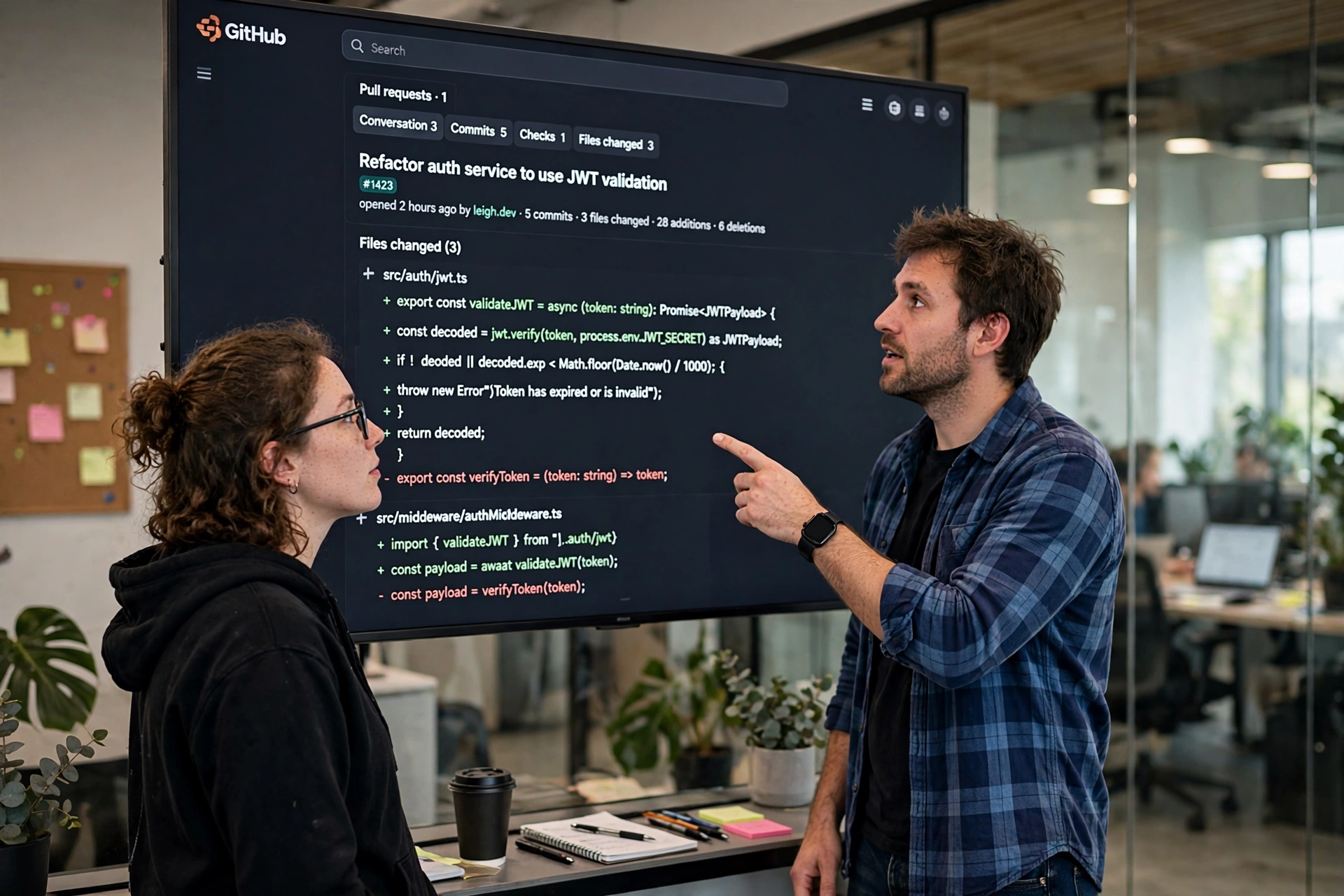
An autonomous engineer works inside its own session. You hand it a ticket and walk away. It opens the repository itself, figures out which files matter, makes changes across many files, runs the build, reads the error output and keeps going until the task is done or it’s genuinely stuck. The unit of work isn’t a line of code or a chat answer — it’s a finished task, delivered as a pull request or an equivalent handoff for review.
That difference sounds small, but it changes everything about how you manage the work. Supervising an assistant is like pair programming. Supervising an autonomous agent is more like managing a very fast, very literal junior engineer who never sleeps and never gets embarrassed about asking the compiler what went wrong.
How an Autonomous AI Software Engineer Works
The details vary by product, but the working loop is remarkably consistent across the serious tools in this space.
Task intake. Work starts from a written brief: a GitHub issue, a ticket in Jira or Linear, a message in Slack, or a direct prompt. The quality of this brief matters enormously — clear acceptance criteria, links to relevant code, and examples of what’s expected. Vague in, vague out.
Planning. Before writing code, the agent breaks the task into steps and explores the repository to find the relevant files, tests and conventions. Some tools show you this plan and let you edit it before execution, which is one of the highest-leverage moments for a human to intervene.
Writing and running code. The agent edits files in its sandbox, installs dependencies, runs builds and executes commands through its shell. It’s doing what a developer does, just at machine speed and with machine patience.
The debugging loop. When a test fails or the build breaks, the agent reads the error, forms a hypothesis, changes the code and runs it again. This loop — act, observe, adjust — is the heart of the whole approach, and it’s why these systems can finish tasks that a single prompt never could.
Delivery. The end product is usually a pull request with a summary of what changed, plus a log of the session so a reviewer can see what the agent did and why. Interestingly, you don’t need to buy one of these tools to understand the pattern — the same plan-act-check loop is what you set up when you learn how to build an AI agent without coding with no-code tools.
What It Can Genuinely Do Today
So what survives contact with reality? The honest answer is: a specific, useful slice of engineering work.
Well-scoped, verifiable tasks. Bug fixes with a failing test, dependency upgrades, framework migrations, test coverage for existing code, boilerplate features, documentation updates and repetitive refactors. If a competent engineer could finish it in a few hours and “done” can be checked by tests or CI, an agent has a real shot at it.
Parallel grunt work. Because sessions are cheap to spin up, teams run several agents at once on separate tickets — something no human team can do with one engineer. Cognition reports, for example, that Nubank used Devin for a large ETL migration with major efficiency gains — company-reported numbers, as vendor case studies always are, rather than independently audited.
Benchmarks, with caveats. When Cognition launched Devin, it reported that Devin resolved 13.86% of issues on SWE-bench — a benchmark of real GitHub issues from projects like Django and scikit-learn — working unassisted, against a previous best of 1.96%. That figure comes from Cognition’s own evaluation on a sampled subset of the benchmark, and it cut both ways: a huge leap over what came before, and a reminder that the large majority still went unsolved. Newer models and agents have pushed benchmark scores much higher since, but a benchmark pass still isn’t the same thing as production-ready work.
The Real Limits
Codebase context. An agent doesn’t know why your code is the way it is. It can’t see the decision made in a meeting two years ago, the customer workaround everyone’s afraid to touch, or the convention that lives only in a senior engineer’s head. On large, mature codebases, that missing context is exactly where it makes its most confident mistakes.
Ambiguous specs. Agents are literal. If the ticket says “make it faster” or the requirements contradict each other, a human engineer asks questions and pushes back; an agent tends to pick an interpretation and run with it, sometimes for hours, in the wrong direction.
The review burden is real. The code still needs a careful human review — arguably a more careful one, because agent-written code is fluent and confident even when it’s subtly wrong. Research backs up the caution here. In a 2025 randomized trial by the research nonprofit METR, experienced open-source developers working in their own repositories actually took 19% longer on tasks when AI tools were allowed, even though they believed the tools had made them about 20% faster. That study covered the previous generation of tools, not today’s agents — but the perception gap it exposed is worth remembering.
Security and trust. An agent that can run commands and install packages needs a properly sandboxed environment, limited credentials and the same scrutiny you’d give any automation with write access to your codebase. Teams also have to decide what code they’re comfortable sending to a third-party cloud service at all.
How Engineering Teams Actually Use One
The teams getting value from these tools treat them less like magic and more like a new kind of team member with a specific job description.

Start with ticket-sized tasks. The sweet spot is the work that’s well-defined, moderately boring and easy to verify: the bug with a clear reproduction, the migration that follows a known pattern, the test suite that needs backfilling. Teams that start here build trust and learn what the agent is good at. Teams that start with “rebuild our payments system” learn a different lesson.
Write briefs like you’d write them for a contractor. Context, constraints, examples, and a definition of done. Many teams keep a knowledge file the agent reads — architecture notes, style rules, commands to run — so every session starts with the team’s conventions loaded.
Keep humans on the plan and the review. Approve or edit the agent’s plan before it runs, and review its pull requests with the same rigor you’d give any contributor — because legally and practically, the team owns whatever gets merged. The pattern is the same one emerging everywhere these agents appear: as AI agents automate more of the daily work, the human role shifts from doing every step to specifying, checking and deciding.
Measure honestly. Track how many agent pull requests merge without major rework, not how impressive the demos look. That’s the number that tells you whether the tool is earning its place.
The Skills That Stay Human
Nothing in the current generation of agents changes who decides what to build and why. System architecture, product judgment, security thinking, and the ability to look at a plausible-looking solution and smell what’s wrong with it — these remain human skills, and if anything they become more valuable as generating code gets cheaper. So does communication: someone still has to talk to users, negotiate trade-offs and write the brief the agent will follow.
The engineers who thrive alongside these tools are usually the ones who were always good at the non-typing parts of the job — breaking big problems down, reviewing carefully, and knowing when an answer is too easy.
A Balanced Outlook
The autonomous AI software engineer is neither the end of programming nor a party trick. It’s a real tool category with a real, bounded competence: tireless at well-specified work, weak at judgment, and completely dependent on humans for direction and verification. The most likely future isn’t agents replacing engineering teams — it’s engineering teams reorganizing around agents, the way they reorganized around compilers, frameworks and cloud infrastructure before them. The typing was never the whole job. Now, increasingly, it isn’t even most of it.
Frequently Asked Questions
It’s an AI agent built for software development that can take a task in plain language and carry it through on its own: planning the work, exploring a codebase, writing and editing code, running tests and delivering the result as a pull request for human review. Devin by Cognition is the best-known example, and agent modes in mainstream developer tools now follow the same pattern.
It runs in a loop inside a sandboxed environment with a shell, a code editor and a browser. Given a brief, it makes a plan, finds the relevant code, makes changes, runs builds and tests, reads the errors and keeps adjusting until the task passes its checks or it gets stuck. A human then reviews the session log and the resulting code before anything is merged.
Not with the current generation of tools. Agents handle a growing slice of well-defined, verifiable work, but they lack codebase context, product judgment and accountability, and their output still needs expert review. In practice they change what engineers spend time on — less typing, more specifying, reviewing and deciding — rather than removing engineers from the process.
The strongest results come from ticket-sized, testable work: bug fixes with clear reproductions, dependency and framework upgrades, migrations, adding tests, documentation, and repetitive refactors. Tasks that a good engineer could finish in a few hours with clear acceptance criteria are the sweet spot. Open-ended architecture work and vaguely specified features remain poor fits.
They struggle with context that isn’t written down, ambiguous or contradictory requirements, and large legacy codebases where conventions live in people’s heads. Their code can be fluent but subtly wrong, which makes human review essential, and running agents with real credentials raises security questions that need sandboxes and tight permissions. Speed claims deserve skepticism too, since measured gains vary widely by task and team.
Pick one tool and a handful of low-risk, well-specified tickets, and write briefs with clear acceptance criteria and examples. Have a human approve the agent’s plan and review every pull request rigorously. Then judge it on how many of its changes merge without major rework, and expand from there only if the numbers justify it.

Hamad Arshad writes and edits AI Next Top from Rahim Yar Khan, Pakistan. He has worked in SEO and digital marketing for over 7 years and started this site to explain AI tools and news in plain language for non-technical readers. Every guide here is checked against the real tool before it is published.








Leave a Reply