
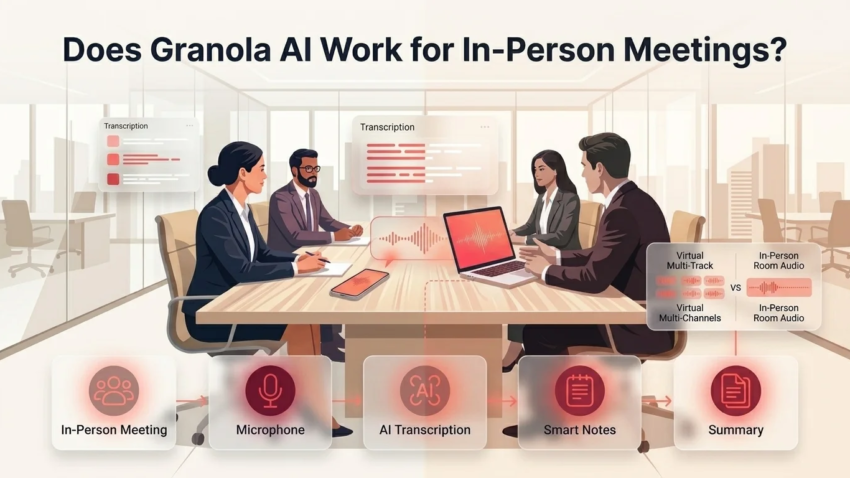
Does Granola AI Work for In-Person Meetings?
Granola built its reputation on virtual meetings — the AI notepad that listens to your Zoom, Google Meet, or Teams call without joining as a visible bot. But a growing number of people want to know if it holds up away from the laptop screen: in a conference room, over coffee with a client, or during an in-person interview. This guide answers that directly, based on how Granola’s audio capture actually works, not just marketing copy.
This is for freelancers, professionals, and small business owners deciding whether Granola is the right tool for meetings that happen face-to-face rather than over video. We’ll cover exactly how it captures in-person audio, where it genuinely struggles, how to get better results, and when a different tool might actually serve you better.
Quick Answer: Does Granola Work for In-Person Meetings?
Yes, Granola works for in-person meetings, using either its Mac/Windows desktop app (which captures room audio through your laptop’s microphone) or its iOS mobile app for meetings away from a computer. The main limitation is speaker identification: in-person conversations put everyone on a single audio track, which makes distinguishing between speakers less reliable than on video calls, where each participant has a separate audio feed. It works well for most in-person use cases, but expect some manual cleanup of who-said-what in larger or more overlapping conversations.
How Granola Actually Captures Audio
Understanding whether Granola works in person starts with understanding how it works at all. Granola isn’t a bot that joins your meeting as a visible participant — it runs locally on your device and captures whatever audio your computer or phone can hear, combining that with any rough notes you type during the conversation. After the meeting ends, it uses that transcript plus your notes to generate a structured summary.
This device-level approach is exactly why it can work in person in the first place: because Granola isn’t tied to a specific meeting platform’s API, it doesn’t need a Zoom link or a virtual room to function. It just needs a microphone that can hear the conversation — which your laptop or phone already has.
Does Granola AI Work for In-Person Meetings? A Closer Look
For a face-to-face meeting, Granola picks up the conversation through your device’s microphone rather than through system audio pulled from a call. Bring your laptop to the meeting (open, with Granola running) or use the mobile app on your phone, and it captures the room the same way it would capture a call — continuously transcribing while you jot down rough notes on key points, names, or decisions as you go.
What Changes Compared to Virtual Meetings
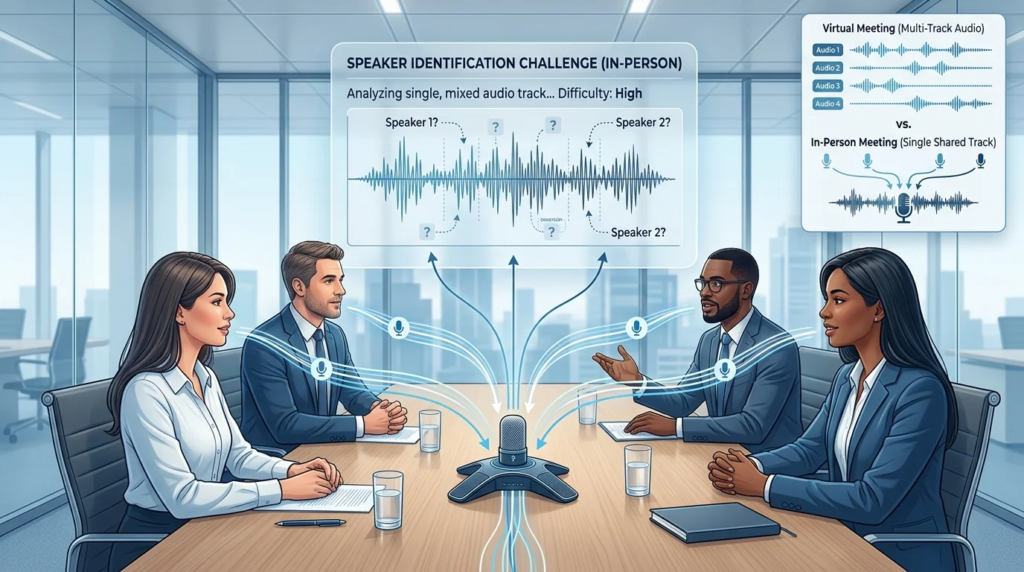
The core workflow doesn’t change: you type light notes during the conversation, and Granola’s AI enhances them into a structured summary afterward, using the transcript to fill in detail you didn’t have time to write. What does change is audio quality and structure. Virtual meetings give each participant a separate audio stream, which makes it comparatively easy to tell voices apart. In-person meetings put every voice on one shared track picked up by a single microphone, so acoustics, room noise, and how clearly each person speaks all affect transcription quality more than they would on a call.
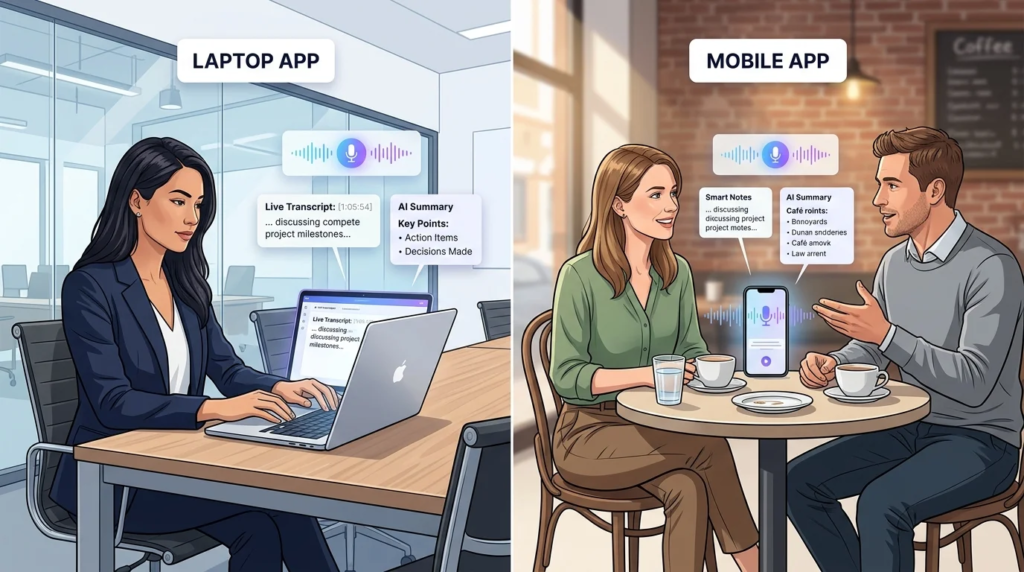
Laptop App vs. Mobile App for In-Person Capture
Granola offers two practical paths for in-person use, and which one makes sense depends on the setting.
The laptop app (Mac or Windows) works well when you’re already going to have a computer at the meeting — a conference room presentation, a desk-based conversation, or a working session where you’d naturally have notes open anyway. It’s the more mature, fully-featured version of the product, since it’s the same app used for virtual meetings, and it gives you the full note-taking and enhancement workflow in one place.
The mobile app (iOS) is the better fit when a laptop would be awkward or out of place — a coffee-shop meeting, a walking conversation, an in-person interview where pulling out a laptop feels overly formal. It uses your phone’s microphone to capture the conversation and syncs into the same account as your desktop notes, so an in-person conversation captured on your phone becomes part of the same searchable history as your video calls. Worth noting: an Android version isn’t part of the current lineup, so iPhone users have the more complete in-person mobile option.
Speaker Identification: The Real Limitation in Person
This is the part most surface-level answers skip, and it’s the honest caveat behind the “yes, but” verdict. Granola uses speaker diarization — the AI process of identifying who’s talking based on vocal characteristics like pitch, tone, and cadence — to label speakers in the transcript. On a video call, this is comparatively reliable because each participant’s audio typically arrives as its own stream. In person, everyone’s voice comes through the same microphone on the same track, so the AI has to distinguish speakers purely from how their voices sound, with no separation to lean on.
In practice, this works reasonably well for smaller, structured conversations — a one-on-one interview, a small client meeting where people mostly speak in turn. It gets noticeably less reliable as the group grows, when voices are similar, or when people talk over each other, which is common in a lively in-person discussion in a way it usually isn’t on a moderated video call. If precise attribution of every quote to the correct person matters for your use case (legal contexts, formal interviews), treat the AI-generated speaker labels as a helpful draft to verify, not a guaranteed-accurate transcript.
How to Get the Best Results When Using Granola In Person
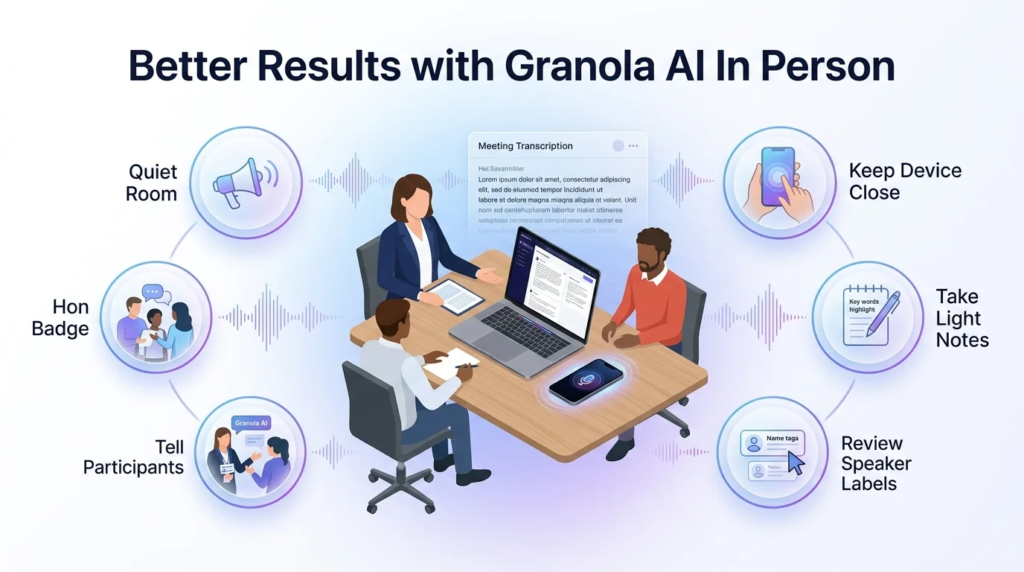
A few practical habits meaningfully improve accuracy for in-person capture:
- Choose a quiet space with decent acoustics. A carpeted conference room or small office generally transcribes more cleanly than an echoing open space, a loud café, or an outdoor setting.
- Keep the device close to the conversation. Whether it’s a laptop or phone, proximity to the speakers improves what the microphone actually picks up, especially in a larger room.
- Keep typing light notes during the meeting. Names, key decisions, and topic shifts you jot down in real time help Granola’s AI weight the transcript correctly when it generates the enhanced summary — this matters more in person, where the raw transcript alone is noisier.
- Review the speaker labels afterward. Because in-person diarization is less reliable than on calls, a quick pass to confirm who said what — especially for action items and commitments — is worth the extra minute, particularly for meetings with three or more participants.
- Tell people you’re using it. Beyond the legal dimension (covered next), letting participants know tends to result in clearer, more deliberate speech, which indirectly improves transcription quality too.
Consent and Etiquette for Recording In-Person Conversations
Recording laws vary by jurisdiction, and this matters more for in-person meetings than for many virtual ones, since video-call participants are often already aware a recording or transcription tool might be in use. Some regions only require one participant (you) to consent to a recording; others require every participant in the conversation to consent before it’s recorded. Because this varies by state and country, and can carry real legal consequences if handled incorrectly, it’s worth checking the specific rule for your location rather than assuming — this isn’t a detail to guess on.
Independent of the legal minimum, disclosing that you’re using an AI note-taking tool is good practice for an in-person meeting specifically, since there’s no visible on-screen indicator the way there might be with a recording bot in a virtual call. A simple heads-up at the start of the conversation covers both the courtesy and, in many places, the legal requirement at once.
Granola Pricing: What You Get at Each Tier
As of current pricing, Granola offers three tiers: a free Basic plan with AI-enhanced meeting notes but limited meeting history; a Business plan at roughly $14 per user per month with unlimited meeting history, more advanced AI models, and integrations with tools like Notion, Slack, HubSpot, Attio, and Zapier; and an Enterprise plan at roughly $35 per user per month, adding single sign-on, organization-wide data controls (including the ability to opt out of having your data used for model training), and API access.
For someone testing whether Granola works for their in-person meetings specifically, the free plan is enough to run several real trials before deciding whether the unlimited history and integrations on Business are worth paying for. Because SaaS pricing changes fairly often, treat these figures as a snapshot and confirm current pricing directly on Granola’s site before making a purchasing decision.
When Granola Is a Good Fit for In-Person Meetings (and When It Isn’t)
Granola tends to work well for in-person use when the conversation is relatively structured — one-on-one meetings, small client conversations, interviews — where you’re already planning to jot notes and want an AI-enhanced summary afterward rather than a word-for-word transcript. It’s also a strong fit if you already use Granola for virtual meetings and want your in-person and video conversations living in the same searchable notes history.
It’s a weaker fit if your primary need is a large-group, mobile-first recording tool designed specifically around in-person capture — some competing note-taking apps are built mobile-first for exactly that scenario, with features more purpose-built for multi-speaker rooms. It’s also not the right tool if you need precise, verified speaker-by-speaker transcription for formal or legal purposes without manual review, given the diarization limitations already discussed.
Common Mistakes When Using Granola In Person
Assuming it works identically to a virtual call. The underlying workflow is the same, but audio quality and speaker separation are genuinely different in person — expecting call-level accuracy sets you up for disappointment.
Skipping the manual notes during the conversation. Relying entirely on the transcript, without jotting any real-time notes, produces a weaker AI-enhanced summary — the tool is designed to combine your notes with the transcript, not replace note-taking altogether.
Not testing it in a real setting first. Running a first attempt during a high-stakes meeting, rather than a low-stakes trial conversation, means discovering acoustics or diarization issues at the worst possible time.
Skipping disclosure. Beyond the legal risk, not telling people you’re recording an in-person conversation can damage trust if they find out later, in a way that rarely happens with tools that visibly join a video call.
FAQs About Granola AI and In-Person Meetings
Does Granola AI work for in-person meetings? Yes. Granola captures in-person conversations through either its Mac/Windows desktop app (using the laptop’s microphone) or its iOS mobile app, applying the same note-enhancement workflow it uses for virtual meetings.
Do I need a laptop for Granola to work in person, or is there a mobile app? You don’t need a laptop — Granola has an iOS mobile app that captures conversations through your phone’s microphone, which syncs into the same notes history as your desktop and video-call notes. There is currently no Android app.
How accurate is Granola at telling speakers apart in person? It’s less reliable than on video calls, since in-person audio comes through a single microphone on one track rather than separate feeds per participant. Accuracy tends to hold up reasonably well in smaller, more structured conversations and decline as the group grows or people talk over each other.
Do I need to tell people I’m using Granola to record them? In many places, yes, legally — recording consent laws vary by jurisdiction, and some require every participant’s consent. Regardless of the legal minimum, disclosing it is good practice for in-person meetings, since there’s no visible indicator the way there might be with a bot joining a video call.
Does Granola work if I’m hosting in a conference room with a group? Yes, but expect diarization accuracy to decrease as the number of participants grows, since everyone’s voice is captured on one shared track. Keeping the device close to the group and taking light notes on who said what helps.
Is Granola better than tools built specifically for in-person recording? Not necessarily. Granola’s strength is combining typed notes with AI enhancement across both virtual and in-person meetings in one unified history. Some competing tools are built mobile-first specifically for in-person, multi-speaker capture and may offer stronger diarization for that specific scenario — the right choice depends on whether you value a unified workflow or specialized in-person accuracy more.
How much does Granola cost? As of current pricing, Granola offers a free Basic plan with limited meeting history, a Business plan around $14 per user per month with unlimited history and integrations, and an Enterprise plan around $35 per user per month with added security and admin controls. Confirm current pricing on Granola’s site, since SaaS pricing changes periodically.
Does Granola keep the audio recording after the meeting? Granola’s stated approach is to transcribe device audio and not retain the raw audio recording itself once transcription is complete, working from the transcript and your notes rather than a stored audio/video file. Confirm current data-retention specifics in Granola’s own privacy documentation if this is a deciding factor for your use case.
Does Granola work on Windows, or only Mac? Granola supports both Mac and Windows desktop apps, in addition to the iOS mobile app.
What’s the biggest limitation of using Granola in person? Speaker identification. Because in-person conversations are captured on a single audio track instead of separate per-participant feeds, distinguishing who said what is less reliable than on a video call, especially in larger groups or overlapping conversation.
Final Takeaway
Granola does work for in-person meetings — through either its desktop app or its iOS mobile app — but it’s worth going in with realistic expectations about speaker identification rather than assuming it’ll match the accuracy you’d see on a video call. For structured, smaller in-person conversations, it holds up well and keeps your face-to-face and virtual meeting notes in one place. For large-group, multi-speaker rooms where precise attribution matters, plan on a quick manual review of the transcript, or consider whether a tool built specifically around in-person capture better fits that particular need. Either way, the best next step is a low-stakes trial run before you rely on it for a meeting that actually matters.

Hamad Arshad
SEO Specialist | SEO Manager | GEO Strategist
7+ Years of Experience in SEO, GEO, AEO, AI SEO, Local SEO, Technical SEO, PPC, Google Ads & Meta Ads.






Leave a Reply